

APN Settings for Travel Voice + Data Plan
To use 4G/5G internet with a SIM card or eSIM, you need to set up the Access Point Name (APN) on your device. Instructions vary by phone model and carrier. For Android and Pocket WiFi devices, check with the device manufacturer. iOS users can install the APN profile as described below for easy setup.
Installation Procedure
To use your Sakura Mobile SIM/eSIM on an iPhone 5s or later, you need to install an APN profile.
Open this page in Safari and tap the Download button that matches your device and iOS version. Then follow the on-screen instructions to install the profile.
Please note: The download link only works in Safari. Other browsers, such as Chrome or Firefox, are not supported.
Step 1. Download APN Profile
Choose your model and iOS.
-
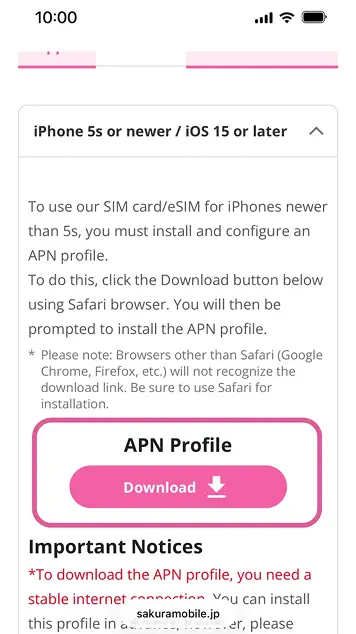
Open this page on your device in Safari or use the download link in your confirmation email.
-
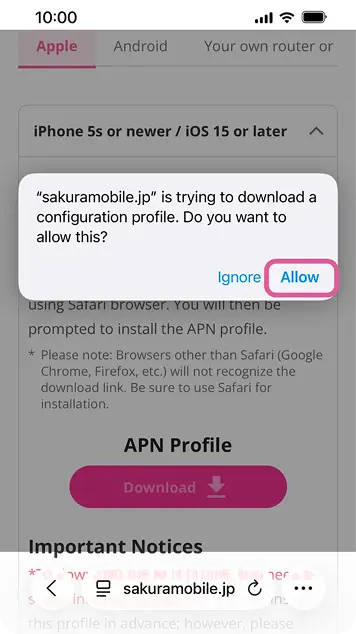
Tap “Allow” to proceed.
-
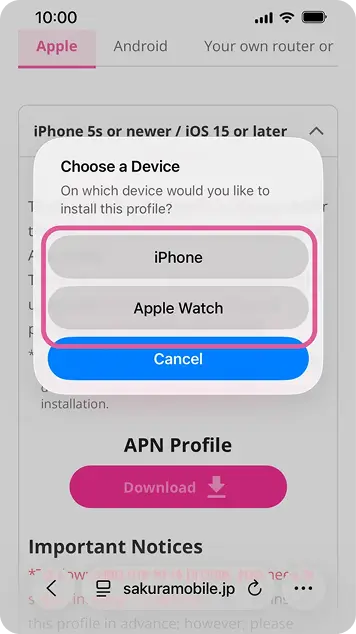
Choose your device.
Step 2. Install Downloaded APN Profile

- A stable internet connection is required to download the APN profile.
- If another APN profile is already installed on your iPhone, remove it before installing the Sakura Mobile APN profile. See instructions below.
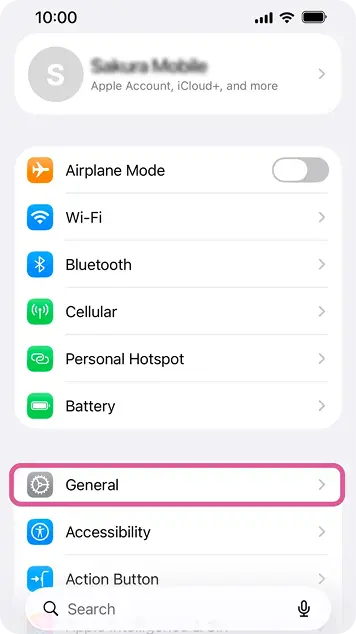
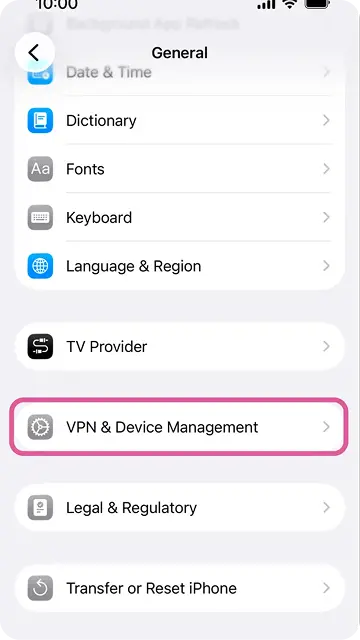
1. Tap “General”.
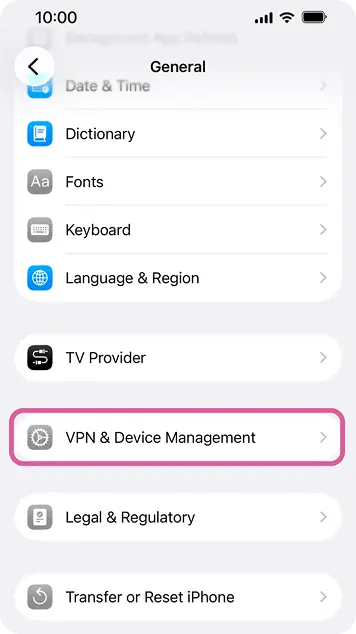
2. Tap “VPN & Device Management”.
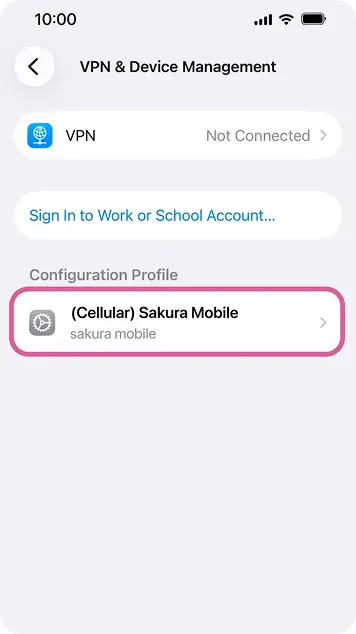
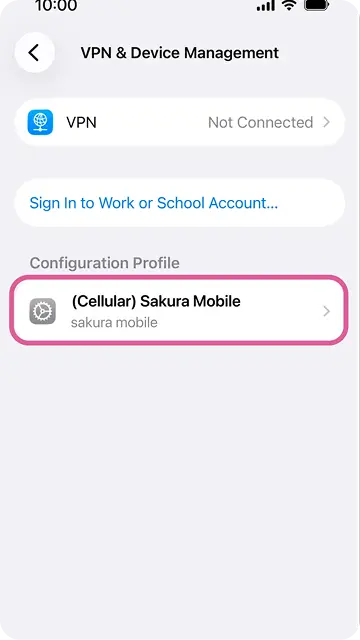
3. Tap the Sakura Mobile profile to proceed.
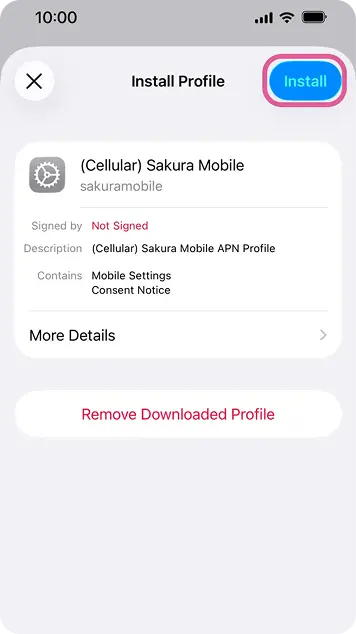
4. You will be prompted to install APN profile. Tap "Install" to proceed.
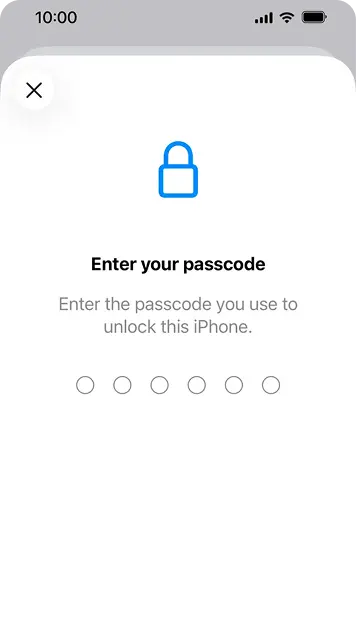
5. Enter your passcode.
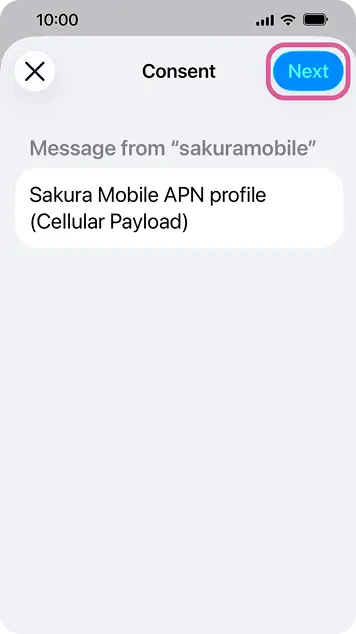
6. Tap "Next" to proceed.
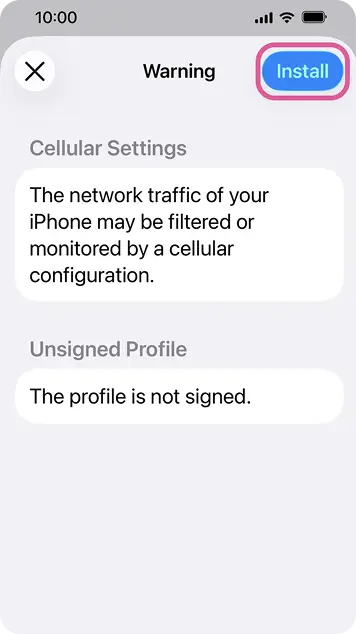
7. Tap "Install" to proceed.
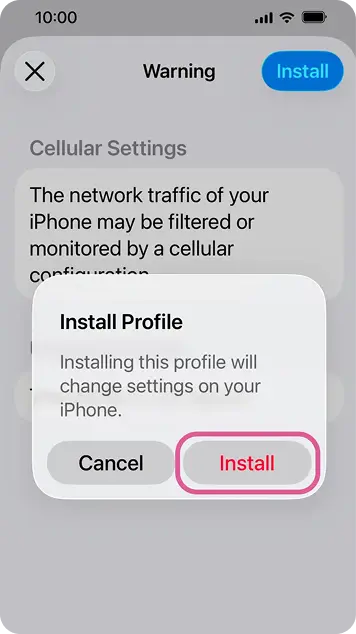
8. Tap "Install" to proceed.
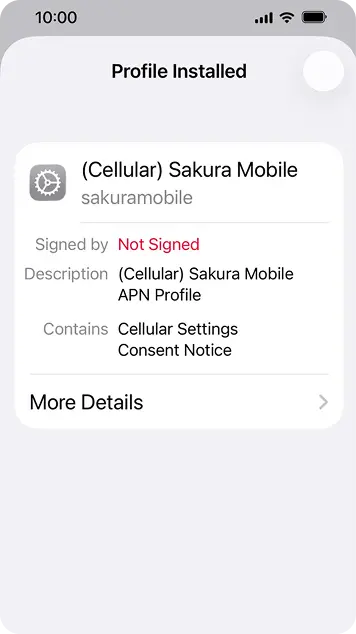
9. Once profile is installed, please press the check mark in the right corner.
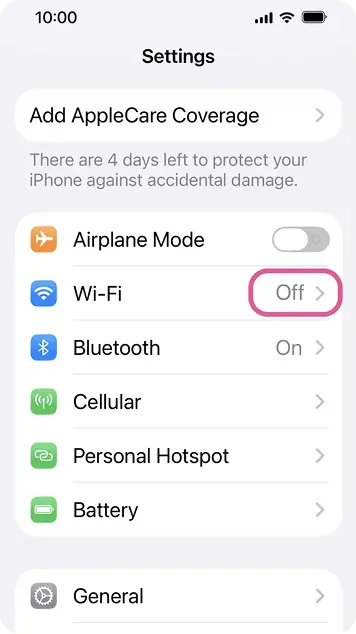
10. If "4G" appears in the upper right corner when WiFi is off, then your connection is working.
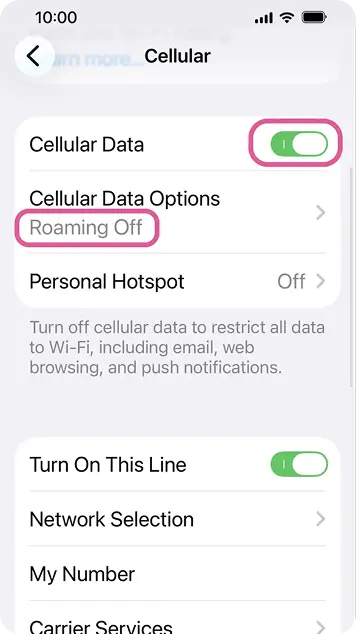
11. If "4G" does not appear, please check if Airplane mode is OFF, and Cellular/Mobile Data is ON.
* The appearance of the Settings menu may differ depending on your iOS version.
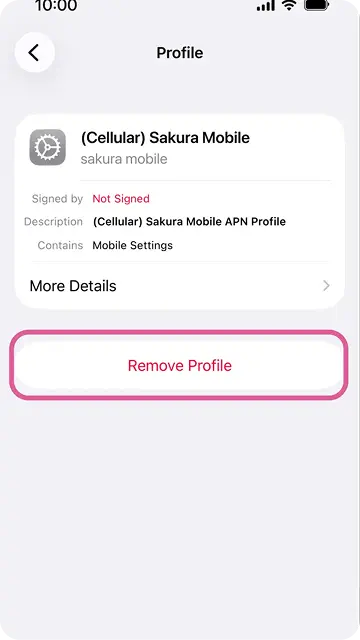
How to Remove an APN profile
If another APN profile is already installed, remove it before installing the Sakura Mobile APN profile.
Go to Settings > General > VPN & Device Management > (Previous APN Profile) > Remove
After using Sakura Mobile
Please remove the Sakura Mobile APN profile before switching to another SIM/eSIM.
APN Values
| Name | sakuramobile |
|---|---|
| APN | vmobile.jp |
| username | sakura@sakuramobile.jp |
| password | sakura |
| Auth. type |
PAP or CHAP |
How to setup APN for Android devices
- *The exact menu may look different depending on your device model. In this case, please search for "Access Point Names" and continue from Step 2.
- From the Settings menu, please tap "Network"/"Connections", then locate our SIM/eSIM.
- Select "Access Point Names" and tap on the "+" mark to add a new profile.
- Enter the following values:
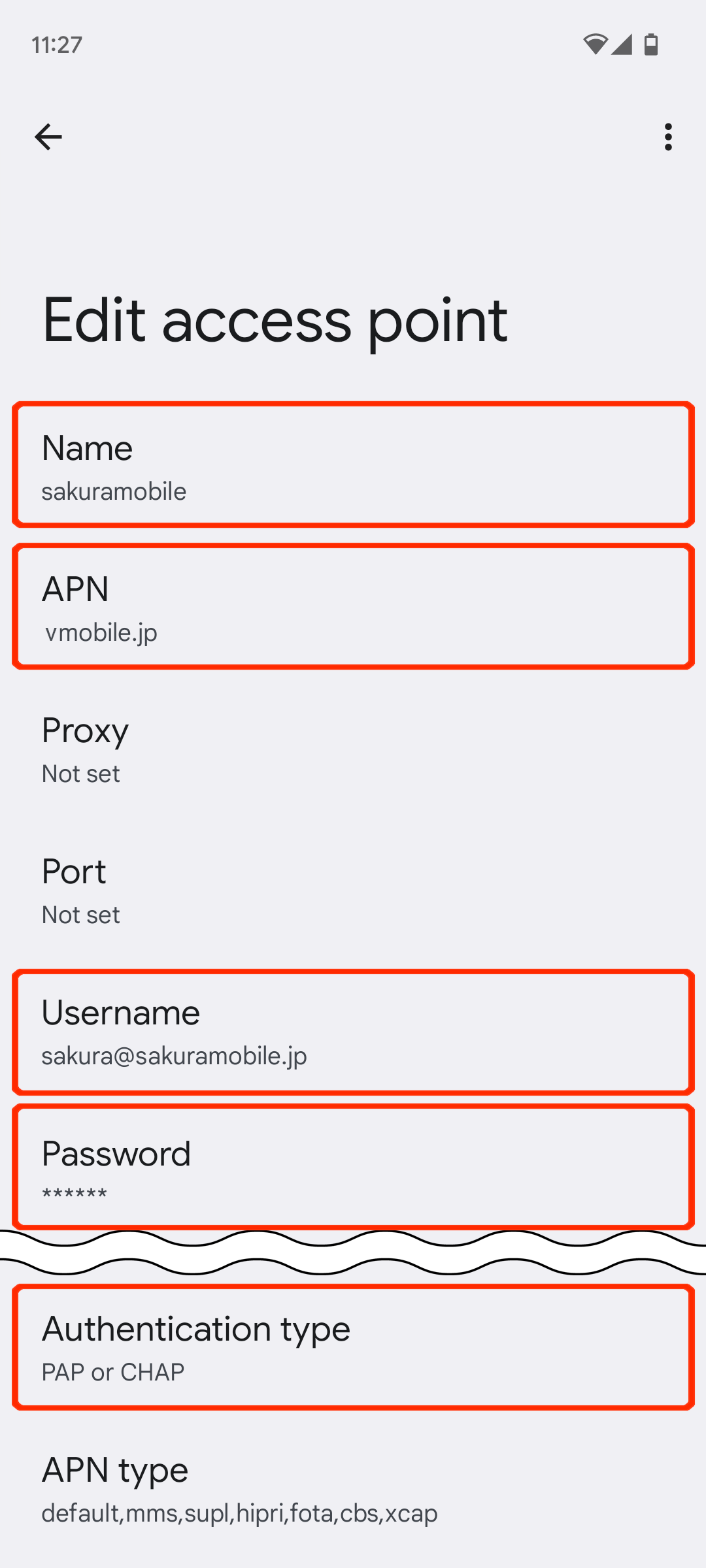
- APN vmobile.jp
- username sakura@sakuramobile.jp
- password sakura
- Authentication type "PAP or CHAP"
- Save profile
- Make sure our profile is SELECTED (highlighted, circle is filled in) and then restart your device.
Android 13 or later
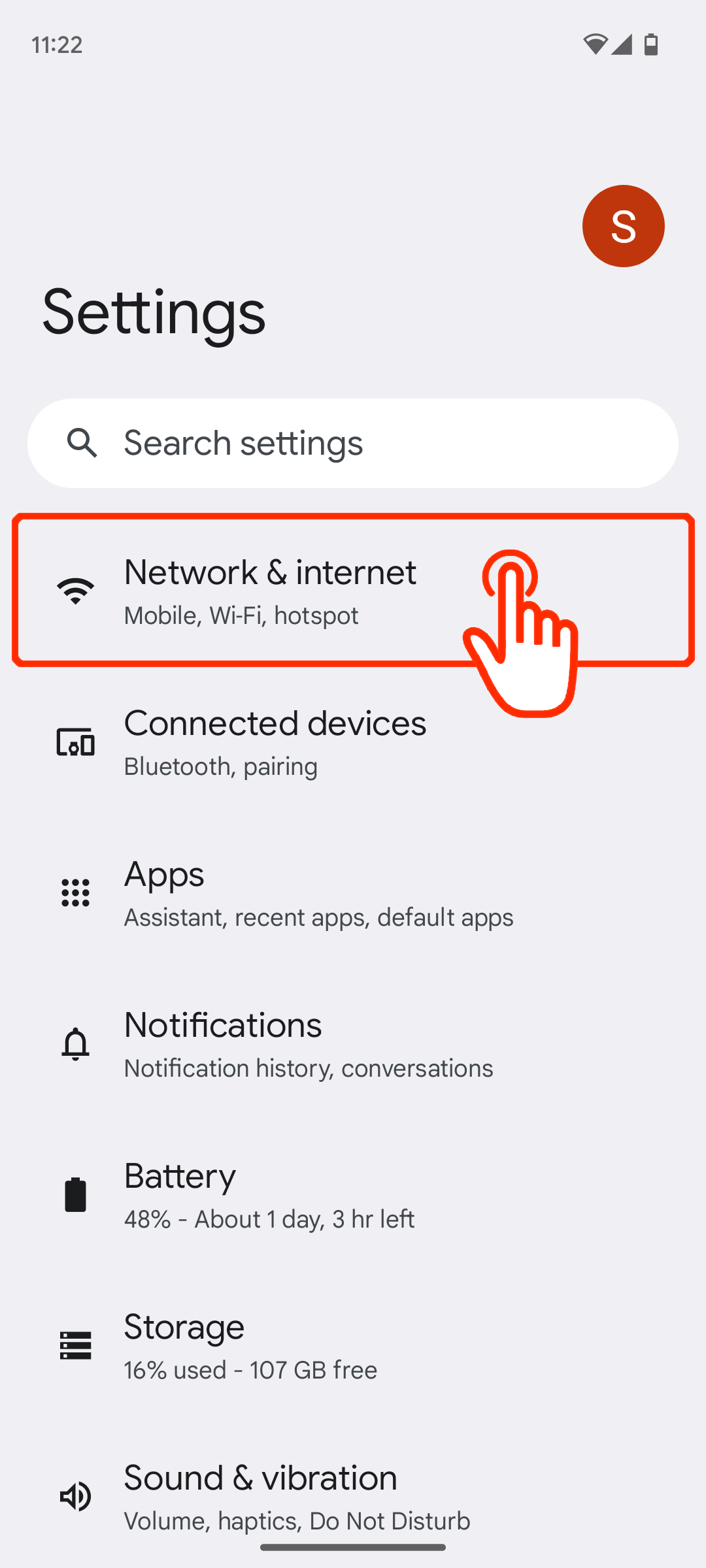
1. Open “Settings” and tap “Connections"
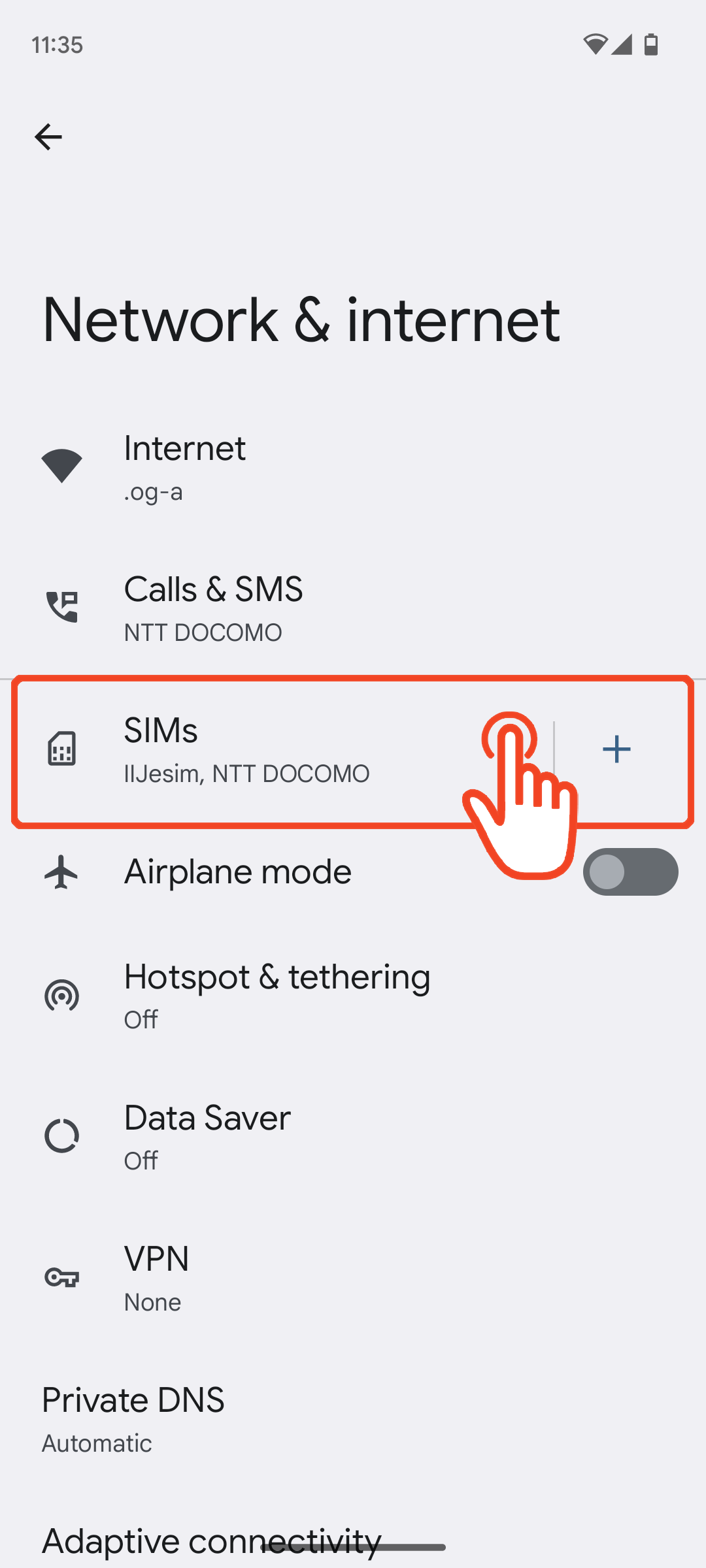
2. Tap “Mobile network”
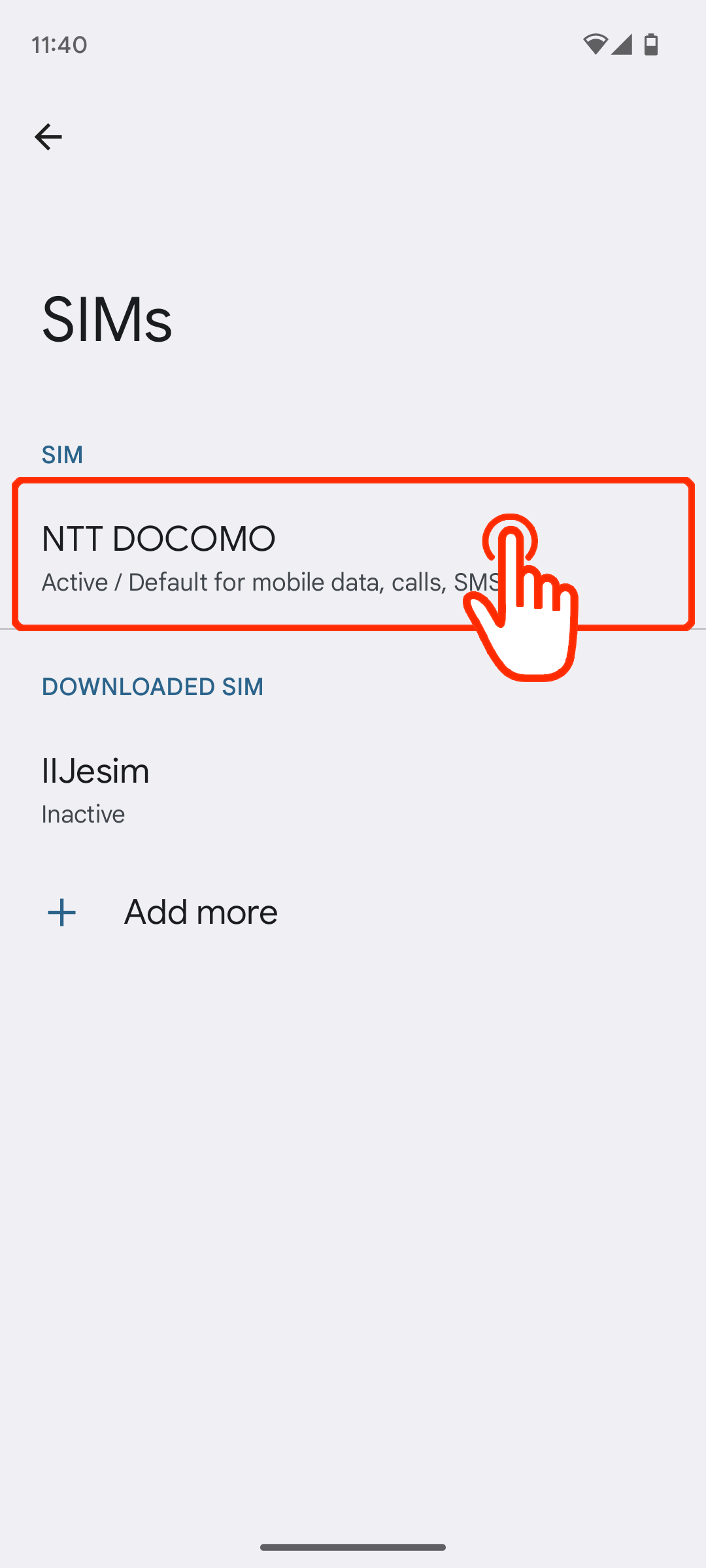
3. Tap “Access Point Names”
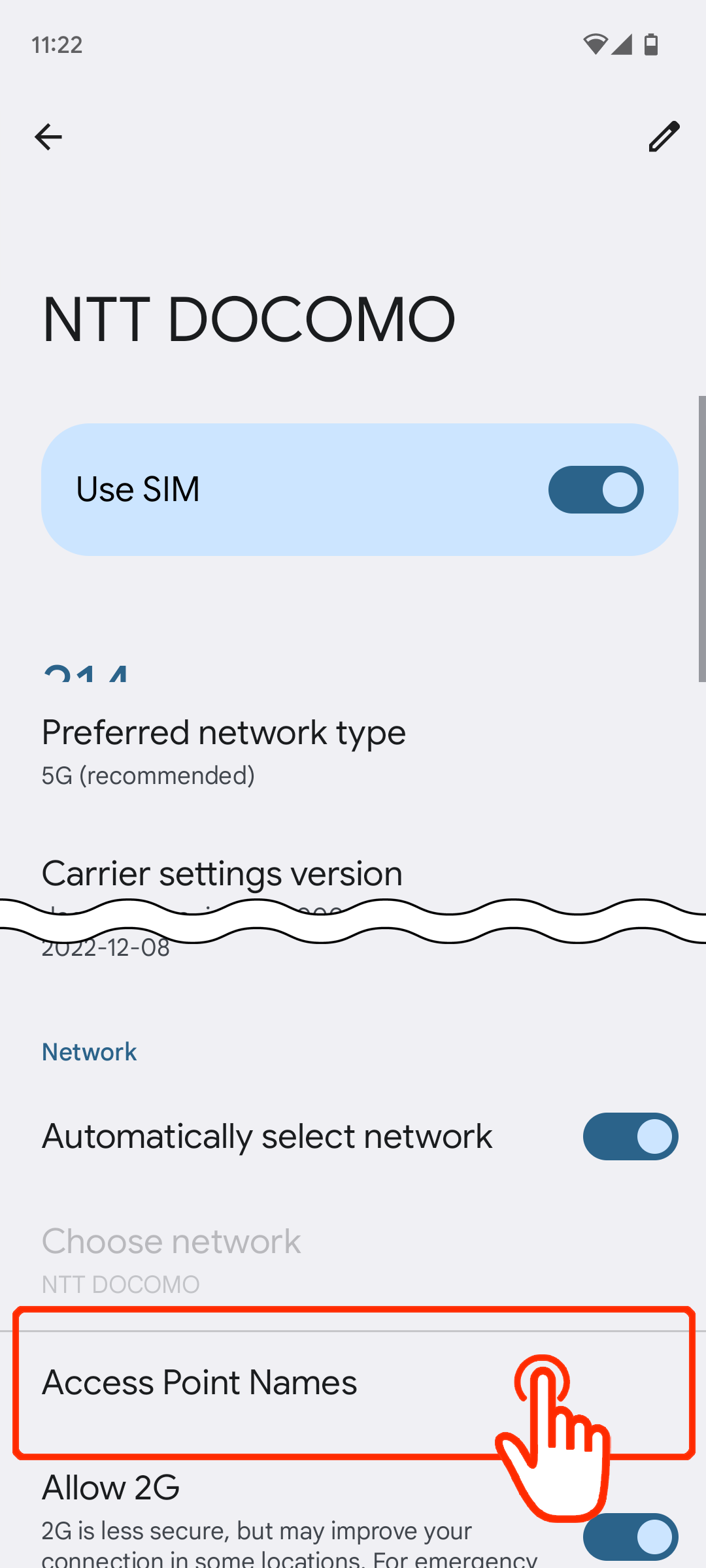
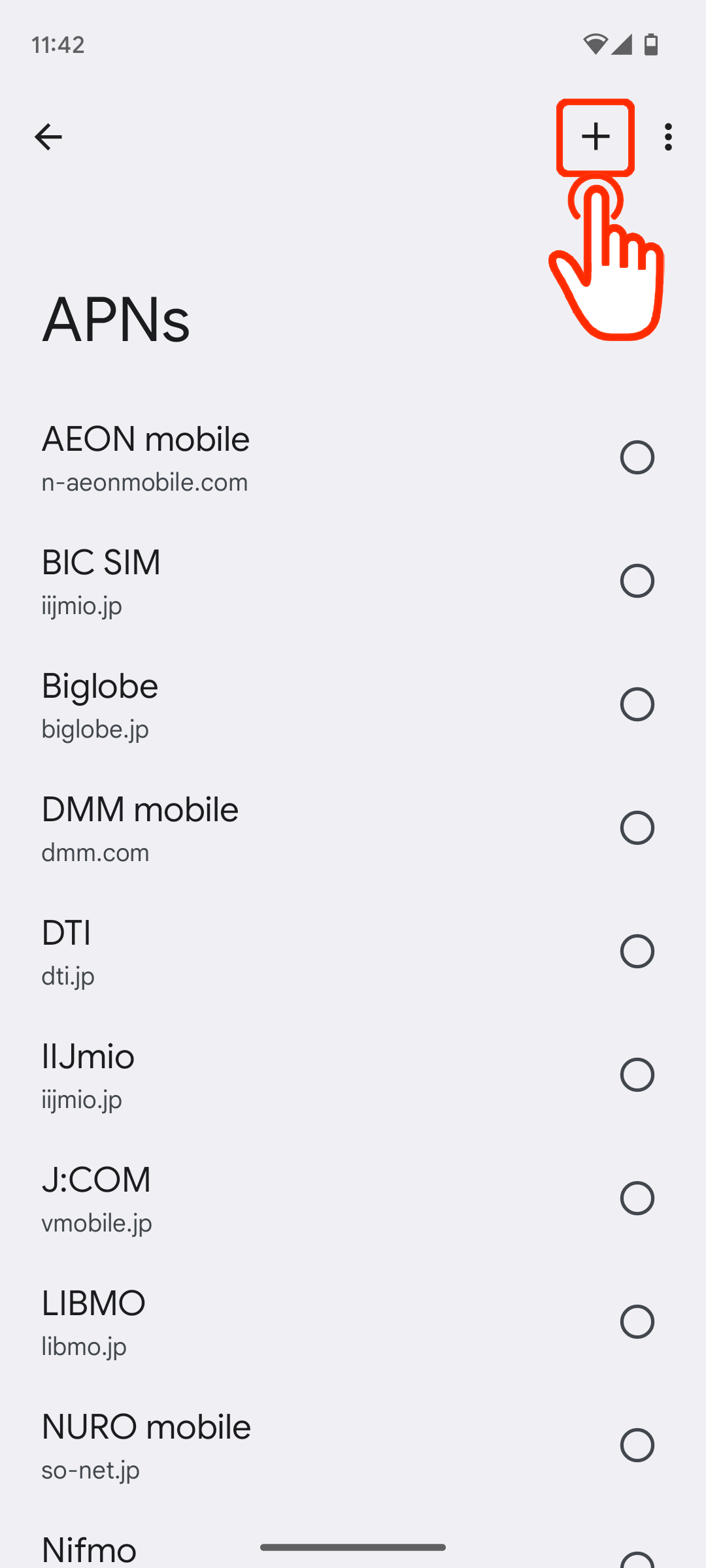
4. Tap on “+” or “Add” to create new APN
5. Edit the APN values according to the instructions above
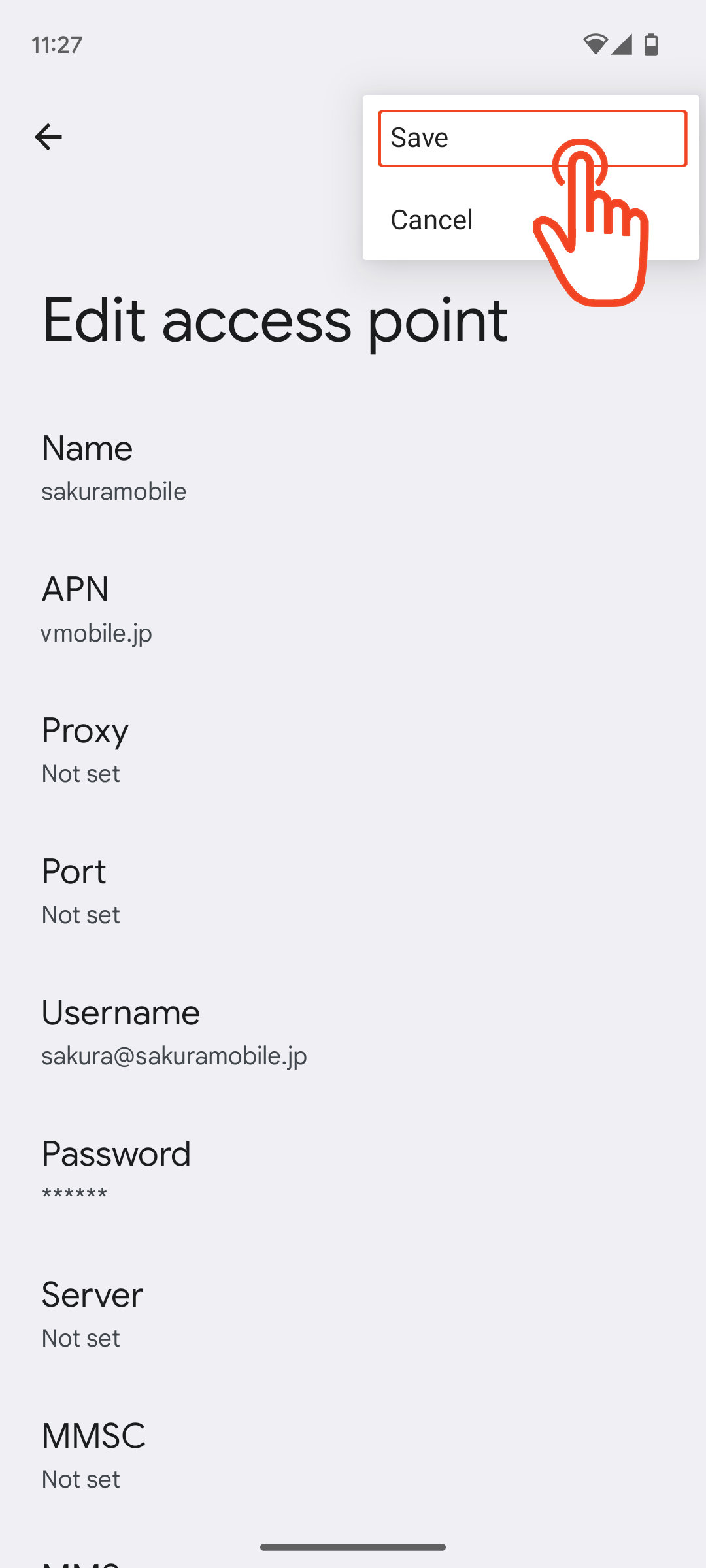
6. Save the APN you created
7. Select the APN you created
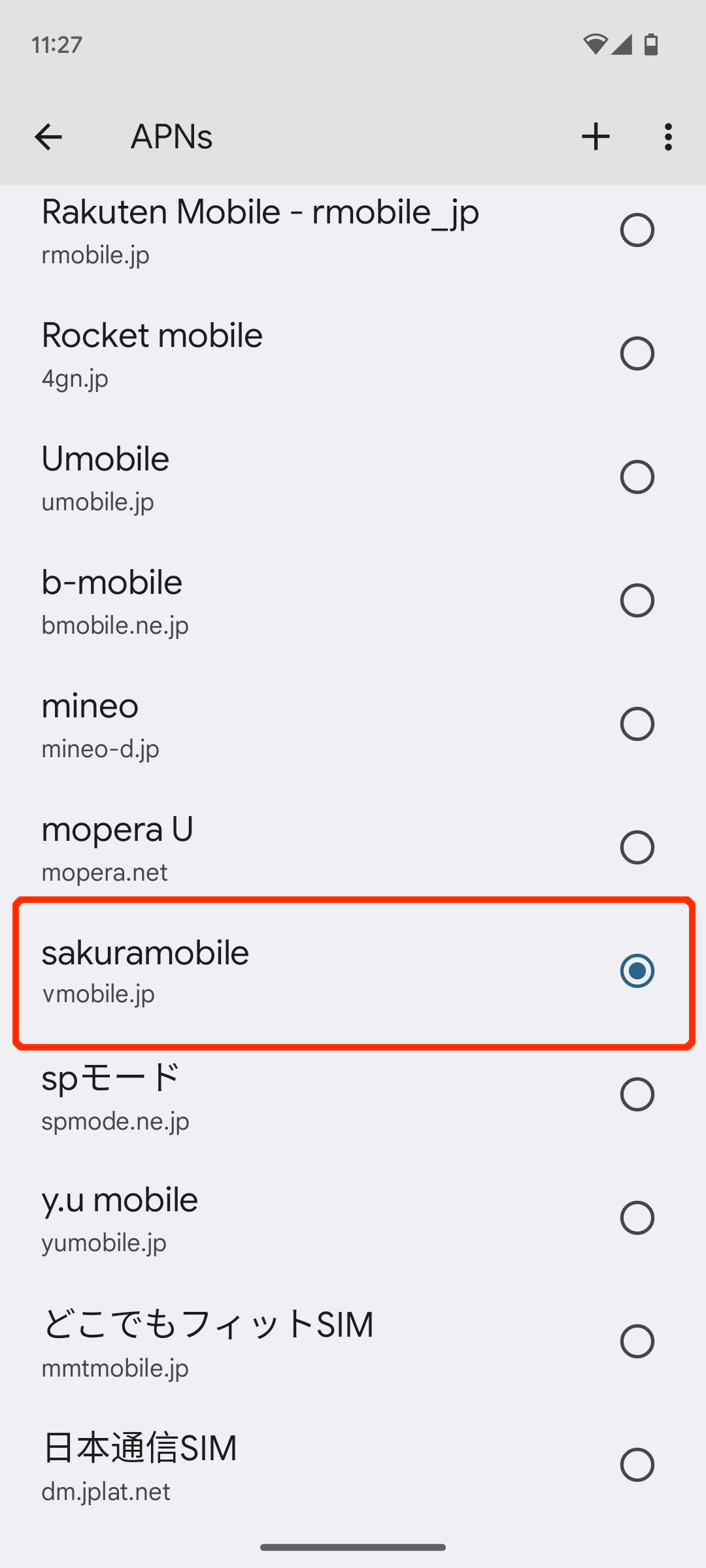
8. Please check if Mobile Data is turned ON and restart the device if necessary
1. Open “Settings” and tap “Connections"
2. Tap “Mobile network”
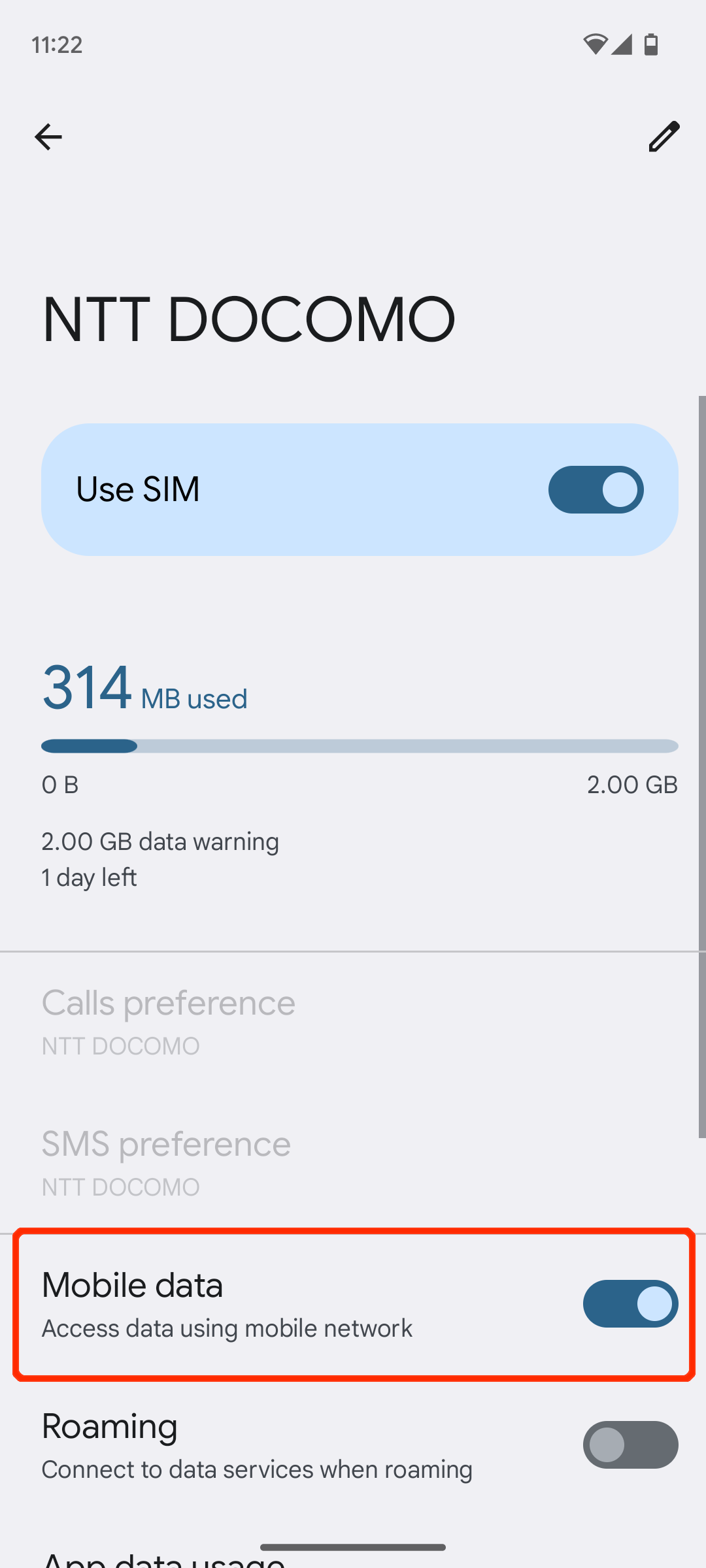
3. Tap “Access Point Names”
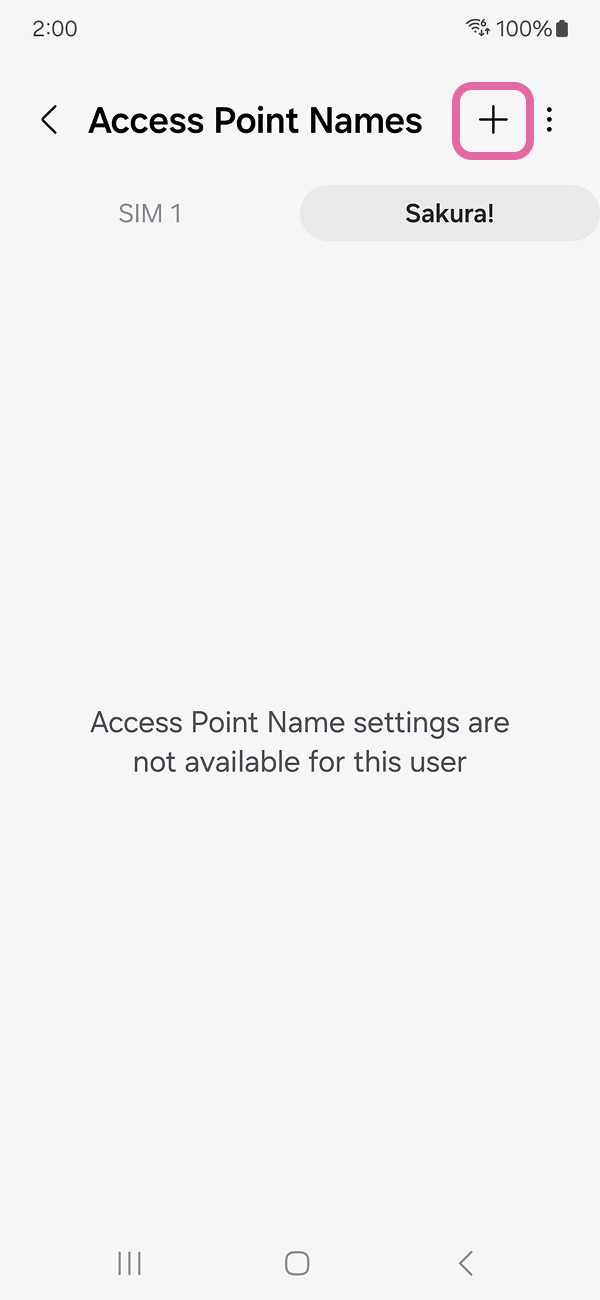
4. On “SIM 2” tab tap on “+” or “Add” to create new APN
5. Edit the APN values according to the instructions above
6. Save the APN you created
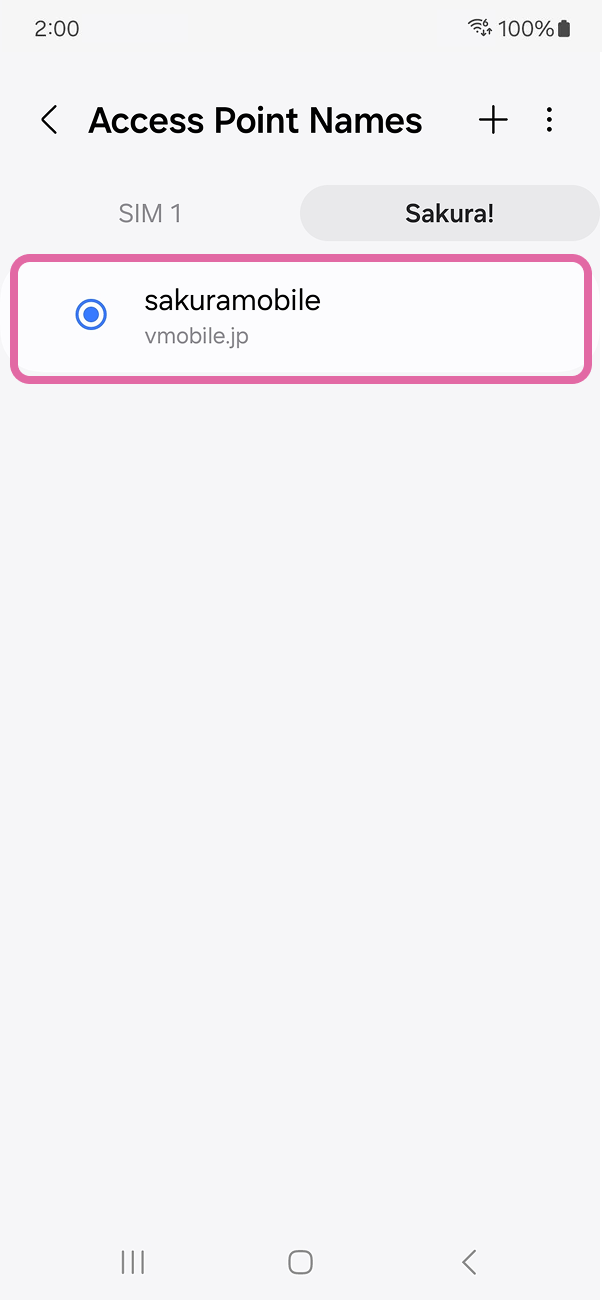
7. Select the APN you created
8. Please check if Mobile Data is turned ON and another SIM is OFF.
APN Values
| Name | sakuramobile |
|---|---|
| APN | vmobile.jp |
| username | sakura@sakuramobile.jp |
| password | sakura |
| Auth. type |
PAP or CHAP |
As a general rule, configuring APN setting on your device is required. APN setup procedures differs from device to device. Please refer to your device's manual or contact manufacturer for a complete instructions. Mistakes often occur during setup are below.
Please double check followings if you encounter errors such as PDP authentication error. 1. ALL APN values are entered in small letter. 2. auth. type is set to "PAP or CHAP". if it is not available, please try each auth type(CHAP only and PAP only).
Need more help?
We’re happy to help! Feel free to contact us or talk to us.


For Travelers SIM / eSIM / WiFi
For Residents Monthly Plans / Home Internet
- For monthly contracts→
- Login