You've found the apartment, signed the lease, and the landlord hands you a flyer: just call J:COM for internet. Easy, right? Mostly. The same "1G" label can mean two very different services, and the contract you sign could follow you for two years.

Quick Answer:
- Price: 1G about 5,260-5,810 yen/month; 10G 6,886 yen (tax incl., Sept 2026)
- Setup: from 4 days in J:COM-ready buildings
- Good for: fast setup, TV bundles, longer stays
- Watch out for: slow uploads on cable plans, partial English support, 2-year contracts on some plans
- Need full English support or a monthly contract? Compare Sakura Fiber Internet
Below we cover which plan to pick, what J:COM really costs after promotions, and whether "J:COM is slow" reviews are fair.
- What Is J:COM Internet? Cable or Fiber?
- J:COM Plans, Speeds, and Prices: Which Should You Choose?
- What J:COM Really Costs After Fees and Contracts
- Pros and Cons: Who Should Choose It
- Is J:COM Really Slow?
- Can You Sign Up for J:COM in English?
- J:COM Internet vs. Sakura Fiber Internet
- How to Apply for J:COM Internet
- J:COM Internet FAQ
- Is J:COM Internet Right for You?
What Is J:COM Internet? Cable or Fiber?

J:COM NET is a home internet service from JCOM Co., Ltd. Along with cable TV, J:COM offers internet, landline, and mobile service.
One thing to know: not every J:COM plan uses the same connection type. Some run over J:COM's cable TV network, and J:COM NET Hikari runs over fiber.
J:COM also offers a 1G plan over its cable network. So a plan labeled "1G" is not always fiber.
J:COM Plans, Speeds, and Prices: Which Should You Choose?

For most people, the 1G fiber plan is the best choice if your address can get it. In an apartment, it's the cheapest 1G plan, at 5,258 yen a month.
| Plan | Connection | Max speed (down/up) | Price, apartment | Price, house | Choose it if |
| 320M | Cable | 320/10 Mbps | 4,730 yen | 5,060 yen | You mostly browse and stream |
| 1G | Cable | 1,000/100 Mbps | 5,280 yen | 5,610 yen | You use several devices or make video calls |
| Fiber 1G | Fiber | 1,000/1,000 Mbps | 5,258 yen | 5,808 yen | You work from home or upload often |
| Fiber 10G | Fiber | 10,000/10,000 Mbps | 6,886 yen | 6,886 yen | Your household is large or uses a lot of data |
Note:
- Listed speeds are theoretical maximums, not actual speeds.
- Available plans and connection types depend on your address and building.
- Prices include tax and may vary by area, building, contract terms, and promotions.
The number to watch is the upload speed. The 320M plan's 10 Mbps upload is fine for streaming but struggles with Zoom calls and large uploads. If you work from home, skip 320M.
Eligible J:COM plans include a WiFi router, with no extra rental fee. If you need wider coverage, mesh WiFi costs 550 yen a month per device (tax included). Some 1G and 10G plans support WiFi 7 if your device does, but don't expect 10 Gbps over WiFi, even on a 10G plan.
What J:COM Really Costs After Fees and Contracts
The actual cost of J:COM depends on its fees and contract terms, not just the advertised monthly price. J:COM sometimes offers new customers discounts for the first few months or cashback. When comparing plans, check the monthly price after any promotional discounts end.
Sign-up fees: There's a one-time contract fee of 3,300 yen (3,080 yen in Kyushu and Yamaguchi, except on J:COM NET Hikari (N)). Standard installation is 18,480 yen for an apartment or 47,520 yen for a house, and 23,760 yen for J:COM NET Hikari (N) without TV. On eligible plans, discounts effectively cover installation, but if you leave early, you may have to pay the rest.
Equipment fees: Eligible plans include the WiFi router. Mesh WiFi for wider coverage costs 550 yen a month per device. Ask J:COM whether your plan includes everything you need.
Leaving fees: Some plans are two-year contracts that renew automatically and charge an early termination fee. Others have no minimum period and no termination fee. If a technician removes the equipment, the removal fee is usually 4,950-10,780 yen, depending on the property and the work. Removing and returning the equipment yourself may avoid this fee, but J:COM NET Hikari (N) has its own return rules. You may also owe any unpaid installation balance.

Tip: If you're staying in Japan for less than two years, ask for a plan with no early termination fee. Before you sign up, compare the regular monthly price, the total fees, and the cancellation terms.
Pros and Cons: Who Should Choose It
J:COM is a good choice if your building is J:COM-ready and you want internet setup quickly, especially if you also want TV or landline services. If fast uploads, full English support, or flexible contract terms matter more, compare other providers before signing up.
Pros
- Fast setup: Service can start in as little as four days in J:COM-ready buildings.
- Convenient bundles: Combine internet, TV, landline, and mobile services.
- Multiple plan options: Choose a plan that fits your internet usage and budget.
Cons
- Slow cable uploads: Not ideal for frequent video calls or large uploads.
- Limited English support: Some services and procedures are only available in Japanese.
- Contract lock-in: Some plans have two-year contracts with automatic renewal and early termination fees.
- Confusing 1G names: Check the connection type before choosing a plan.

A user says J:COM promised internet within five days, delivered on time, and thanks J:COM for the quick setup.
Is J:COM Really Slow?

J:COM's cable plans can feel slow, mainly because of their low upload speed. Its fiber plans don't have that problem.
The 320M cable plan uploads at 10 Mbps at most, which can make video calls choppy and large uploads slow. Cable is also shared across your building, so speeds can drop at peak times.
If you work from home, use Zoom often, or upload large files, go with a fiber plan instead.
A J:COM user says their WiFi connection had been very slow for about two months, affecting video streaming quality. They report that the connection improved after switching to a separate WiFi router.
J:COM also reported a service outage affecting some internet users on September 23, 2026, as detailed in its official notice:
https://newsreleases.jcom.co.jp/news/20260924_22551.html
Can You Sign Up for J:COM in English?
You can start in English, but you may not be able to finish in English.
J:COM provides English service information and an English sign-up contact, but English-speaking staff are limited. Installation scheduling, billing, troubleshooting, contract charges, and cancellation may require Japanese support.
Before signing up, ask J:COM which steps can be handled in English, or have a Japanese-speaking friend help you with the process.
J:COM Internet vs. Sakura Fiber Internet

J:COM and Sakura Mobile suit different situations. J:COM is a strong pick if you're in a J:COM-ready building and staying long-term. Sakura Mobile fits if you want full English support and the freedom to cancel any month.
J:COM's monthly fee is lower, but the total cost depends on how long you stay. For example, ending a two-year J:COM NET Hikari (N) 1G contract early may cost a termination fee of 5,258 yen for an apartment or 5,808 yen for a house. A technician removal fee of 4,950-10,780 yen may also apply, plus any unpaid installation cost. If you might leave Japan within two years, these fees can narrow or erase J:COM's price advantage, so compare the total cost over your stay.
| Comparison | J:COM Internet | Sakura Fiber Internet |
| Connection | Cable or fiber, depending on address and plan | NTT East and NTT West fiber |
| Maximum speed | 320 Mbps, 1Gbps, or 10 Gbps (fiber) | 1 Gbps or 10 Gbps |
| Monthly price, 1 Gbps | 5,258-5,808 yen | 7,678 yen |
| Monthly price, 10 Gbps | From 6,886 yen | 10,428 yen |
| English support | Some steps in Japanese only. | Full English support |
| Contract period | Two-year contracts on some plans. | No minimum period; month-to-month |
| Time to get connected | From 4 days in J:COM-ready buildings | 1 Gbps: 1 week-1 month 10 Gbps: 2 weeks-1 month |
| Pocket WiFi before installation | None listed | Pocket WiFi to use until installation, with no rental fee if you return it on time. Fiber billing starts on delivery. |
| Better if you | Want lower monthly fees or fast installation in a J:COM-ready building. | Need full English support, flexible contracts, or Pocket WiFi before installation. |
How to Apply for J:COM Internet
Signing up takes five steps, from checking your address to installation day.
- Check your address. Enter it on J:COM's website to see which services your building can get.
- Choose a plan. See whether your building has cable or fiber, then pick a plan that fits how you use the internet.
- Apply. Sign up for J:COM's website or through its sales team.
- Book installation. J:COM confirms your application and sets an installation date with you.
- Get connected. A technician sets up and activates the service if your plan and building need a visit.
J:COM Internet FAQ
- How much is J:COM Internet per month?
About 4,370-6,886 yen a month (tax included) for the plans in this article. Your price depends on the plan, your building, and any promotions.
- Is J:COM's 320M plan enough for streaming or working from home?
Yes for streaming, but not for regular work from home. Uploads top out at 10 Mbps, so for frequent video calls or large uploads, choose a plan with faster uploads.
- Does J:COM Internet include WiFi?
Yes, eligible plans include a WiFi router. Some plans support WiFi 7, which needs a compatible device.
- Can you sign up for J:COM in English?
You can start in English, but some steps may need Japanese. Before you apply, ask J:COM which steps it can handle in English.
- How soon can you start using J:COM?
In as little as four days in some J:COM-ready apartments. Timing depends on your building plan, and the installation work.
- Does J:COM charge a fee to cancel?
On some plans, yes: an early termination fee, plus an equipment removal fee of 4,950-10,780 yen where it applies, and any unpaid installation balance.
FAQ
Is J:COM Internet Right for You?
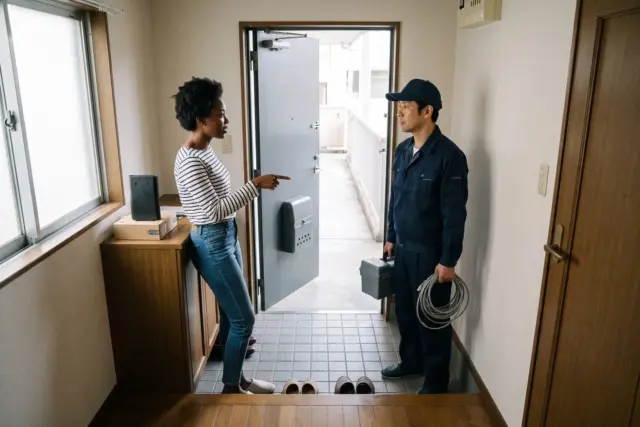
Choose J:COM if your building is J:COM-ready, you want internet within days, and you're staying long enough to justify a possible two-year contract.
Choose Sakura Mobile if you'd rather have full English support, guaranteed fiber and a monthly contract.

Related Article
The Best WiFi in Japan: 5 Providers Compared [2026 Update]