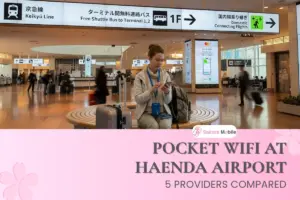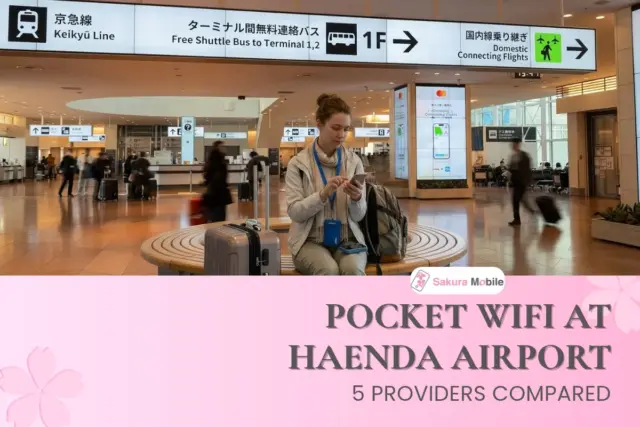
Just landed at Haneda and joined the free WiFi? It's shared with other travelers, so it can slow down when the airport is busy. It's also not ideal for sensitive activities like banking. A Pocket WiFi gives you your own private, password-protected connection instead.
The good news is that you can pick one up at the airport. Several companies offer Pocket WiFi rentals at Terminals 2 and 3. We've selected five major providers to compare. As Japan connectivity experts, we compared all five and show you exactly where to find your counter, even if you land late.

Quick Answer:
- Our top pick: Sakura Mobile, which offers 10 GB of high-speed data per day, English support 7 days a week, and mail-in returns.
- Where to pick up: Most counters are on 2F of Terminal 3, the arrival floor. Some providers also have a counter in Terminal 2.
- Cheapest: AnyFone JAPAN for 7 days (6,020 yen). Sakura Mobile for 14 days or more (11,616 yen for 14 days).
- Landing late: Most Terminal 3 counters close between 11:00 PM and 1:00 AM. If you land later, some providers, including Sakura Mobile, can deliver to your hotel or home instead.
- Didn't book ahead? Same-day pickup is available at most counters, as long as they have stock left.
- Comparison Table: 5 Pocket WiFi Rentals at Haneda Airport
- Which Pocket WiFi Fits You?
- Sakura Mobile Pickup at Haneda Airport (Terminal 3 and Terminal 2)
- Where Each Provider Is at Haneda Airport
- The Other Pocket WiFi Providers at Haneda
- "Unlimited" Data: What It Really Means
- Insurance, Battery, and Fees to Check?
- Getting Pocket WiFi at Haneda Airport
- FAQ: Pocket WiFi at Haneda Airport
Comparison Table: 5 Pocket WiFi Rentals at Haneda Airport
Here is how the five providers compare on price, data, battery, support, and pickup. Prices differ most on longer trips, so check the 14-day and 30-day rows if you're staying more than a week.
| Details | Sakura Mobile | AnyFone JAPAN / SoftBank Global | JAL ABC | Telecom Square | NINJA WiFi / GLOBAL WiFi |
| Price (7 days) | 8,558 yen | 6,020 yen (5G Unlimited) | 7,350 yen | 9,733 yen | 13,860 yen |
| Price (14 days) | 11,616 yen | 12,040 yen (5G Unlimited) | 14,700 yen | 19,466 yen | 27,720 yen |
| Price (30 days) | 18,579 yen | 25,800 yen (5G Unlimited) | 31,500 yen | 41,712 yen | 59,400 yen |
| Data | Unlimited (10 GB/day high-speed guaranteed) | Unlimited plans available | Unlimited (FUP cap undisclosed) | 3 GB/day or Unlimited (FUP cap undisclosed) | 1 GB-10 GB/day (Data varies depending on plan) |
| Battery | 20 hours | Information undisclosed | Information undisclosed | 12 hours | 5-6 hours |
| Device Connections | Up to 15 (5 recommended for best performance) | Up to 10 | Information undisclosed | Up to 5 | Up to 5 |
| English Support | 7 days a week via chat, email, and phone In-person support at the Shinjuku office | Yes (business hours) | Phone / in-person at counter | WiFiBOX lists 24/7 support | English phone support |
| Insurance | 110 yen/day | 220 yen/day | 210 yen/day | 330 yen/day | 330 yen/day |
| Location | T3: JAL ABC counter, 2F arrivals T2: Mobile Center, 3F departures | T3: 2F arrivals | T3: 2F arrivals | T3: 2F arrivals T2: 3F departures | T3: 2F arrivals T2: 2F arrivals |
| Counter Hours | T3: Daily, closed 1-4 AM T2: 7 AM-10 PM | 6 AM-11 PM | Daily, closed 1-4 AM | T3: 6:30 AM-11 PM T2: 7 AM-10 PM | T3: 6:30 AM-11:45 PM T2: 6 AM-11 PM |
All prices include tax and do not include insurance or add-ons. Prices can change, so check each website before you book.
※Note: NINJA WiFi and GLOBAL WiFi are run by the same company and share one counter. NINJA WiFi is for travel inside Japan. GLOBAL WiFi is for people leaving Japan. If you need internet in Japan, book NINJA WiFi.
How We Compared
We chose five of the main providers that have pickup counters at Haneda for arriving travelers. We compared them on five things: price, data limits, pickup convenience, return options, and English support. We checked prices and hours on each company's website in November 2026.

Not picking up at Haneda? See our Best Pocket WiFi Japan guide for more ways to rent across Japan.
Which Pocket WiFi Fits You?
The right choice depends on your trip. Find your situation below.
| Your situation | Good choices | Why |
| First trip to Japan | Sakura Mobile | English support 7 days a week, and you can return it by mail from anywhere in Japan |
| Trip of 2 weeks or longer | Sakura Mobile | Lowest 14-day and 30-day prices in our comparison |
| Landing in Terminal 3 or late at night | Sakura Mobile or JAL ABC | Both use the JAL ABC counter, open until 1:00 AM. |
| Landing in Terminal 2, or catching a domestic flight next | NINJA WiFi, Telecom Square, or Sakura Mobile | All three have a Terminal 2 counter, so you don't need to change buildings |
| Family or group | Sakura Mobile or AnyFone JAPAN | Sakura Mobile connects up to 15 devices and AnyFone JAPAN up to 10. |
| One week on a tight budget | AnyFone JAPAN | Lowest 7-day price (6,020 yen), but you pay for at least 3 days. |
| Flying with Japan Airlines | JAL ABC | You can earn JAL miles, but not on bookings that get the online discount. |
Sakura Mobile Pickup at Haneda Airport (Terminal 3 and Terminal 2)
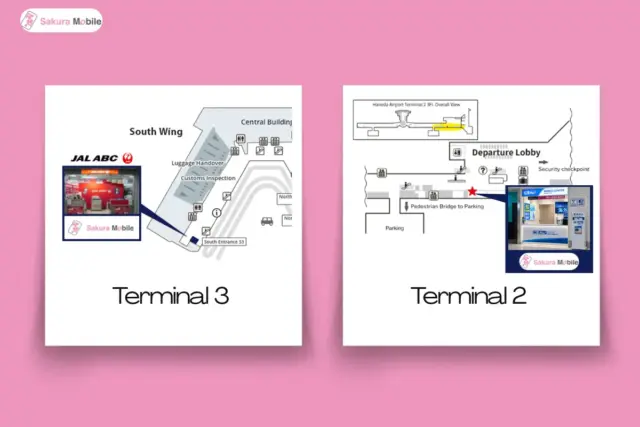
You can pick up your Sakura Mobile Pocket WiFi at two counters at Haneda. Choose your pickup terminal when you book online.
| Counter | Location | Hours |
|---|---|---|
| Terminal 3 | 2F Arrivals Lobby, JAL ABC counter | Daily, closed 1:00-4:00 AM |
| Terminal 2 | 3F International Departure Lobby | 7:00 AM-10:00 PM |
Terminal 3: JAL ABC Counter, 2F Arrival Lobby
Most international flights land at Terminal 3. The JAL ABC counter is on the same floor where you exit after customs.
- Clear immigration and pick up your bags.
- Walk out into the 2F Arrival Lobby.
- Look for the JAL ABC sign.
- Show your passport and booking confirmation.
Terminal 2: Mobile Center Counter, 3F International Departure Lobby
The Terminal 2 counter is one floor above arrivals. After you exit on 2F, take the escalator or elevator up to 3F.
This counter is run by Telecom Square's Mobile Center. Look for the "Mobile Center" sign. The staff will hand you your Sakura Mobile device.
What to Bring
- Your passport. The name must match the name on your booking.
- Your booking confirmation. Have the email ready on your phone.
Pickup usually takes about 5 minutes. Check that your package has the device, charging cable, and a prepaid return envelope before you leave the counter.
Returning Your Sakura Mobile Device
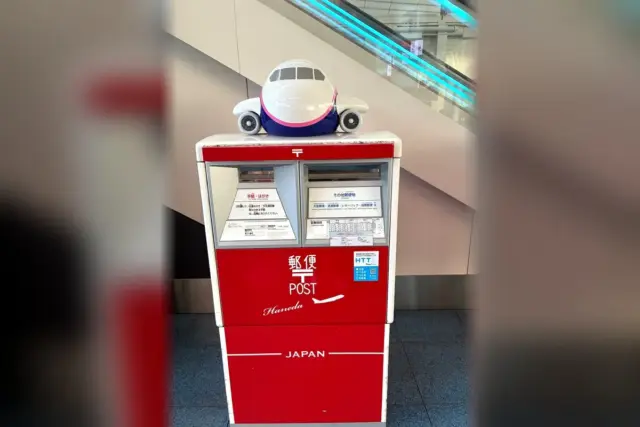
The easiest way is to return it by mail. You don't need to find a counter on your last day.
- Put the device and all accessories into the prepaid return envelope.
- Seal the envelope.
- Drop it into any red mailbox in Japan by midnight on your last rental day.
At Haneda, mailboxes are before security. There are no mailboxes after security, so post it before you go through.
Where Each Provider Is at Haneda Airport
Terminal 3 has the most Pocket WiFi counters, and most international flights land there. Terminal 2 handles domestic flights and some international flights. Terminal 1 is for domestic flights and has only an AnyFone JAPAN machine.
| Counter | Terminal | Closes |
| Sakura Mobile (JAL ABC counter) | T3 | 1:00 AM |
| NINJA WiFi | T3 | 11:45 PM |
| NINJA WiFi | T2 | 11:00 PM |
| AnyFone JAPAN | T3 | 11:00 PM |
| Sakura Mobile (Mobile Center counter) | T2 | 10:00 PM |
If you land after 1:00 AM, use a 24-hour self-service machine on 2F of Terminal 3. Both WiFiBOX and AnyFone JAPAN have one. You apply on your phone, and the machine gives you the device. No staff are there to help, so read the plan details carefully.

Tip: Book online a few days before your trip. Your device is held in your name, you skip the paperwork, and you don't have to worry about stock.
The Other Pocket WiFi Providers at Haneda
Each of these four companies is a good option for certain travelers. Here is what you should know about each.
JAL ABC
JAL ABC is run by Japan Airlines group company. Its Terminal 3 counter is open from 4:00 AM to 1:00 AM, the longest hours at Haneda. A 7-day rental costs 7,350 yen. You can earn JAL miles, but not on bookings that get the online discount.
NINJA WiFi (GLOBAL WiFi)
NINJA WiFi and GLOBAL WiFi share one counter. Book NINJA WiFi if you need internet in Japan. It has counters in both Terminal 3 and Terminal 2.
AnyFone JAPAN
AnyFone JAPAN has a counter and 24-hour machine on 2F of Terminal 3. Its prices are low, but the minimum rental is 3 days. Only the person named on the booking can pick up the device, so make sure to have your passport handy.
Telecom Square (Mobile Center and WiFiBOX)
Telecom Square runs the Mobile Center counters in Terminal 2 and Terminal 3. It also runs WiFiBOX, self-service machines where you rent and return without staff. The Terminal 2 Mobile Center is also where Sakura Mobile customers can pick up their devices.
"Unlimited" Data: What It Really Means
"Unlimited" means your internet won't be cut off. It does not always mean full speed all day. Most companies use a Fair Usage Policy (FUP), which can slow your speed after heavy use in one day.
Sakura Mobile guarantees 10 GB of high-speed data every day. If you use more, your speed may slow down, but you stay connected. Your high-speed data resets every night at midnight. Before you rent from any company, ask three questions:
- Is there a daily limit?
- How slow does it get after the limit?
- Does the limit reset every day?
Insurance, Battery, and Fees to Check?
A few small costs can surprise you. Check these before you book.
Insurance. If you lose or break a Pocket WiFi, you pay up to about 30,000 yen. Sakura Mobile's insurance costs 110 yen per day and covers 90% of that cost. The other four charge 210 to 330 yen per day.
Battery. A dead battery can ruin your day. Sakura Mobile's devices can last up to 20 hours on one charge. Telecom Square lists 12 hours and NINJA WiFi lists 5-6 hours. Charge it every night at your hotel.
Late returns. Most companies charge extra if you return the device late. If your provider offers mail returns, like Sakura Mobile, post the envelope by midnight on your last rental day.
Minimum rental. Some companies, like AnyFone JAPAN, charge for at least 3 days even if you only need 1.
Getting Pocket WiFi at Haneda Airport
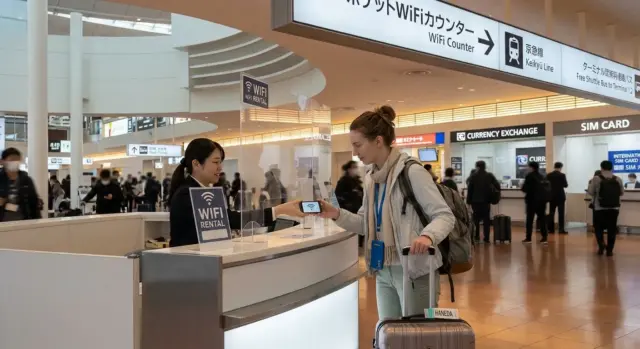
The easiest way to get a Pocket WiFi at Haneda is to book online and pick it up at a counter in Terminal 3 or Terminal 2. Compare prices for your trip length, check each plan's daily data limit, and choose a counter that's open when you land. If you'd like help choosing, Sakura Mobile's team can answer your questions in English.
FAQ: Pocket WiFi at Haneda Airport
- Q1. Can I rent a Pocket WiFi at Haneda Airport without booking ahead?
Yes. With Sakura Mobile, you can order online and pick up at the counter on the same day. NINJA WiFi, AnyFone JAPAN, and Telecom Square also rent on the same day, as long as they have stock left.
- Q2. Where are the Sakura Mobile counters at Haneda Airport?
In Terminal 3, pick up at the JAL ABC counter on the 2F Arrival Lobby, open 4:00 AM to 1:00 AM. In Terminal 2, pick up at the Mobile Center counter on the 3F International Departure Lobby, open 7:00 AM to 10:00 PM.
- Q3. What if I land at Haneda after midnight?
The JAL ABC counter in Terminal 3, which also handles Sakura Mobile pickups, is open until 1:00 AM. If you land later, use a 24-hour machine on 2F of Terminal 3, or choose a provider that delivers to your hotel.
- Q4. Can I return my Pocket WiFi at a different airport?
It depends on the provider. Sakura Mobile lets you mail it back from any red mailbox in Japan, and WiFiBOX devices can go back to any WiFiBOX machine. Other companies have different rules, so check before you book.
- Q5. Who is a Pocket WiFi not right for?
A Pocket WiFi may not be best if you travel alone and only need a little data. It also isn't ideal for stays longer than 3 months. In those cases, a SIM card or eSIM may cost less. See our Haneda SIM Card guide.
- Q6. Is Haneda's free WiFi enough?
HANEDA-FREE-WIFI works well inside the airport. But it stops when you leave the building, so you won't have maps or translation on the train. See our Haneda Airport Guide for more airport tips.