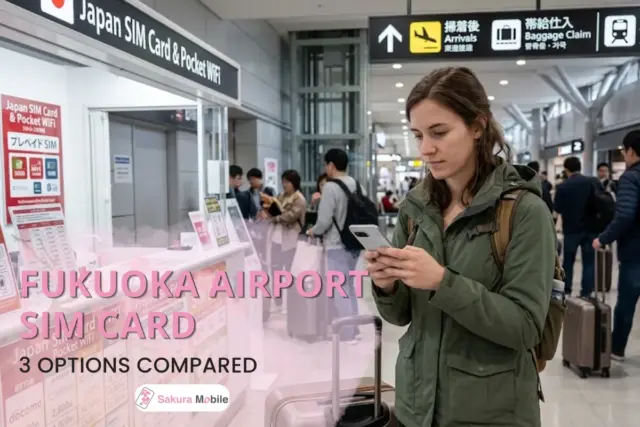
You start searching "SIM card for Fukuoka" and within a few clicks, you've got a dozen tabs open—different providers, different prices, some data-only, some claiming "unlimited," and no clear way to tell which one actually fits your trip. Before you've even packed a bag, picking the right SIM card has turned into its own small research project.
At Sakura Mobile, we handle SIM cards, eSIMs, and Pocket WiFi rentals for travelers across Japan, so we know how overwhelming that first search can get—and how much of it comes down to a few simple questions most guides skip. Below, we'll walk through what to check on your phone before you buy, then compare three SIM providers with counters at Fukuoka Airport, so you can pick with confidence instead of guessing.

Quick Answer:
- Most well-rounded: Sakura Mobile—3GB/day or Unlimited plans, docomo/au networks, and daily English support.
- Lowest price: NINJA WiFi, from 1,584 yen for 1 GB plan.
- Best for exploring beyond the city: Sakura Mobile's 3GB/day plan runs on docomo, which may offer borader coverage in areas like Dazaifu and rural Kyushu.
- Phone locked or incompatible? A Pocket WiFi device sidesteps the problem entirely. See our Fukuoka Airport Pocket WiFi Guide.
Will Your Phone Work With a Japan SIM?
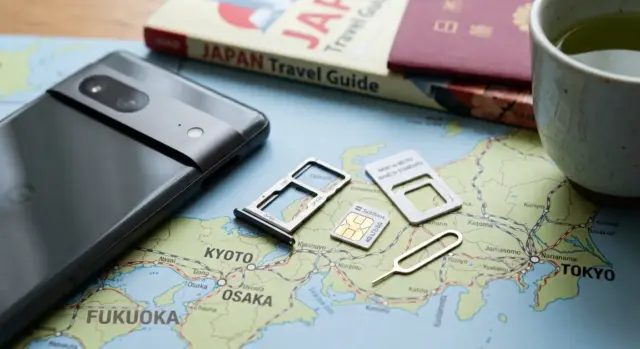
A Japanese SIM card only works if three things line up: your phone is unlocked, it takes the right size SIM, and it supports the frequency bands local carriers use. This applies no matter which provider you choose, so it's worth checking before you buy, not after. Here's how to check each one.
Is your phone unlocked? A locked phone will only work with SIM cards from the carrier that locked it—including any SIM from a different country. If you're not sure, contact your carrier before you fly. Most can unlock a phone remotely or walk you through the steps. If your phone can't be unlocked in time, a Pocket WiFi device works regardless of your phone's locked status.
What SIM size do you need? Phones use one of three SIM sizes: standard, micro, or nano. Check your device's specs ahead of time, or look for a provider that includes a universal adapter, so you don't have to figure out the exact size for yourself.
Does your phone support Japanese frequency bands? Japan's carriers run on specific radio bands, and not every phone sold overseas supports all of them. This is worth checking carefully, since even plans from the same provider can run on different networks—one plan might use au or SoftBank. Check the bands for whichever network your plan uses:
- docomo: 4G Band 1 (main) / Band 19 (support)—5G n78, n79 (main) / n1, n28 (support)
- au (KDDI): 4G Band 1 (main) / Band 18 (support)—5G n77, n78 (main) / n3, n28 (support)
Still not sure? A Pocket WiFi device works with any phone that has WiFi—no unlocking, no SIM size, no frequency band to check. If that sounds easier, our Fukuoka Airport Pocket WiFi Guide covers your options.
3 SIM Card Providers at Fukuoka Airport, Compared
Here is a side-by-side look at the three SIM card options at Fukuoka Airport. This table shows each provider's price, data plan, and pickup location, so you can pick the right one fast.
| Details | Sakura Mobile | NINJA WiFi (Shogun SIM) | Telecom Square |
|---|---|---|---|
| Pickup location | International Terminal, 1F (Arrival Lobby) | International Terminal, 1F (Arrival Lobby) | International Terminal, 1F (Arrival Lobby) |
| Hours | Every day, 7:00 AM-9:00 PM | Every day, 7:00 AM-9:30 PM | Every day, 7:00 AM-9:00 PM |
| Online reservation | ✅ Yes | ✅ Yes | ❌ Not available— counter purchase only |
| English support | 7 days a week via chat, email, and phone; in^person support at the Fukuoka Airport counter | 24/7 | 24-hour |
| Network | docomo 5G / au 5G | docomo (4G) | docomo (4G/LTE) |
| Coverage | 99% of Japan | 99% of Japan | 99% of Japan |
| Data plan | Unlimited or 3GB/day | Unlimited (fair use policy applies) Fixed data amounts (1 GB-30 GB) | Unlimited (fair use policy applies) |
| Typical rental length | Priced by the day Pick your trip length, from 1-90 days | Varies by plan (1-60 days) | 8-31 days |
| Price | 3GB/day: From 3,850 yen Unlimited: From 4,510 yen | 1 GB: From 1,584 yen 10 GB for 15 days: 4,587 yen | 7+1 days (unlimited): From 6,000 yen 15+1 days (unlimited): From 7,000 yen |
| Insurance | 550 yen (tax included) | Not offered | Not offered |
| First-Time Setup Help | Included at no charge | 1,100 yen (tax included) for the Airport Counter Setup Service | N/A |
Prices include tax. Counter hours and rates can shift, so confirm both before you book.
Note: Sakura Mobile's SIM is priced day-by-day rather than in fixed packages—you choose how long you'll be in Japan, then pick your data (Unlimited or 3GB/day), and the total scales accordingly. This makes it flexible for odd-length trips, but hard to compare directly against a competitor's flat-rate package.
Also note: "Telecom Square" and "WiHo" refer to the same provider—if you've seen either name, they're the same counter.
Why Sakura Mobile?
Sakura Mobile has served international travelers in Japan since 2014, and offers SIM, eSIM, and Pocket WiFi under one brand. What sets it apart:
- Free setup help: If it's your first time using a Japanese SIM, staff at the counter can help you set up your SIM at no extra charge. Some competitors charge a separate fee for this.
- Network: The 3GB/day plan runs on docomo, which may offer borader covearge in rural areas than some competitors. This can be useful if you're visiting places such as Dazaifu or traveling through rural Kyushu.
- Adapter included: Every SIM comes with a universal size adapter, so you don't need to know your phone's SIM size ahead of time.
- English support: Reachable by chat, email, phone, or in-person help at the airport counter, seven days a week.
- No return needed: Just throw the SIM away once your trip is done—no counter visit or mail-in required.
SIM Card or eSIM?
Sakura Mobile offers both physical SIM cards and eSIMs, so you can pick whichever fits your device and style.
| Features | Physical SIM | eSIM |
|---|---|---|
| Setup | Swap the card in at the airport | Scan a QR code to install before you fly |
| Data starts | Right after you insert and set it up | Ready to use when you arrive, if installed in advance |
| Device needed | Any phone with a SIM tray and unlocked | An eSIM-capable, unlocked phone |
| After your trip | Throw it away | Nothing to remove or dispose of |
Physical SIM cards work well if you have an older phone that doesn't support eSIM, or you prefer managing something physical. eSIMs work well if you have a newer smartphone and want to be set up before you leave home.
Both options are data-only—you won't get a Japanese phone number—but apps like WhatsApp, LINE, and iMessage cover calls and messages.
Already decided eSIM is the way to go? Our Fukuoka & Kyushu eSIM Guide compares plans built for this region specifically.
Which Provider Fits You?
Solo travelers & light users → Sakura Mobile's 3GB/day plan (from 3,850 yen/day) covers maps, messaging, and light browsing without paying for an unlimited data plan.
Business travelers → Sakura Mobile's Unlimited plan has no daily high-speed cap, so video calls, large file uploads, and long workdays online without a daily high-speed data limit.
Budget travelers → NINJA WiFioffers lower-data plans starting at 1,584 yen, which may suit travelers who don't need a lot of data.
Staying in Japan longer than 90 days? → An airport SIM works well for most trips, but past the 90-day mark, it's usually not the most cost-effective option anymore. A long-term plan tends to work out cheaper for extended stays. See Long-Term SIM Plans once you're settled.
Not sure if your phone will work? → Skip the SIM card and get a Pocket WiFi device instead. It sidesteps unlock issues, SIM size, and frequency-band problems completely.
Getting Your SIM at Fukuoka Airport
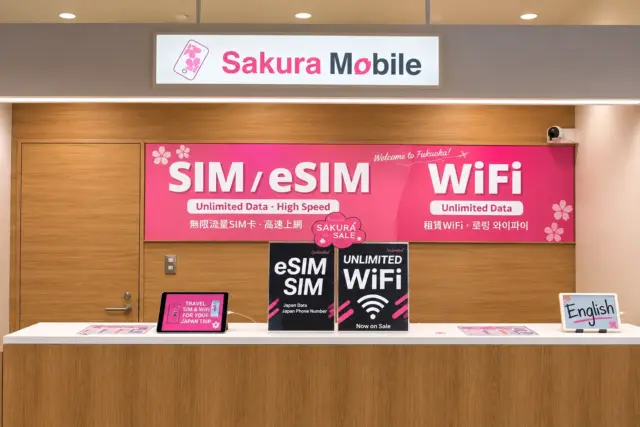
Every SIM counter on this list sits in the international terminal, 1F. Fukuoka Airport is actually two separate buildings—a domestic terminal and an international one—and SIM counters only exist on the international side.
If you're flying domestically, from Tokyo, Osaka, or anywhere else in Japan, take the free shuttle bus to the International Terminal first. It's a short ride, but plan for it if your connection is tight. If you're arriving from abroad, you're already in the right building.
Picking up your order:
- Show your passport for ID check.
- Give your booking code or QR code.
- Get your SIM card and setup instructions.
Reserving online before you fly: Ordering online instead of at the counter usually saves you money and guarantees you'll have a SIM card waiting, especially during busy travel seasons. Airport counters have limited stock, and if they run out, you're stuck without internet.
Do you need to return the SIM card? No, at least not with Sakura Mobile. Just throw it away when you're done. Other providers may have different policies, so check your confirmation email for specifics.
Final Word: SIM Cards at Fukuoka Airport
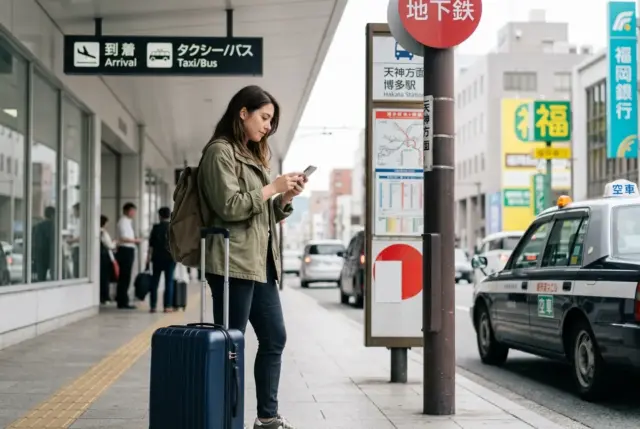
Choosing the right SIM card at Fukuoka Airport comes down to two things: whether your phone is ready for a SIM card in the first place, and which provider fits how you'll actually use your connection.
Sakura Mobile offers reliable coverage on Japan's leading networks, straightforward pricing, English support seven days a week, and no return hassle. If price is what matters most, NINJA WiFi's lower-data plans are worth a closer look.
Reserve your SIM card online before you arrive to save money and guarantee availability.
FAQ
- Q1. Can I get a SIM card with a phone number?
A: No. Prepaid SIM cards in Japan are data-only, since strict ID verification rules make SIM cards with Japanese phone numbers hard to sell to short-term visitors. Use apps like WhatsApp, LINE, or iMessage for calls and texts.
- Q2. How do I know if my phone is unlocked?
A: Check with your carrier before your trip to confirm whether your phone is unlocked.
- Q3. Can I use tethering or a hotspot with a travel SIM card?
A: Yes. Both Sakura Mobile's 3GB/day and Unlimited plans support tethering, although hotspot data limits vary by plan.
- Q4. Does SIM card insurance cover compatibility issues?
A: Yes—Sakura Mobile's SIM insurance costs 550 yen (tax included) and covers incompatible devices. You can request a refund or switch to a Pocket WiFi. loss, theft, and accidental damage are not covered by the providers compared.
- Q5. What should I do if my SIM card stops working?
A: Check that mobile data is on, the correct SIM is selected (if you have dual SIM/eSIM), APN settings are correct, and the card is inserted properly. If it still doesn't work, contact your provider's support team with your device model.
- Q6. Should I get a SIM card or a Pocket WiFi instead?
A: If your phone is locked, an odd size, or doesn't support the right bands, a Pocket WiFi device sidesteps all of that—any phone with WiFi connects. Traveling solo and want to travel light? A SIM card is simpler. See our Fukuoka Airport Pocket WiFi Guide for a full comparison.