Wondering how to buy an eSIM for Japan? The short answer: buy it online before you fly, and that is one less thing to sort out after a long flight.
One thing to know first. Buying and installing are two separate steps. Depending on the provider and the plan, your usage period can start when you install the eSIM, or when it first connects to a Japanese network.
At Sakura Mobile, you can install the Unlimited data eSIM before you travel, but we recommend installing it after you land in Japan, or just before. Some phones show errors when you try outside Japan. The 3GB/day Data eSIM is best installed after you arrive, because the day you install it counts as day one.
This guide covers where, when, and how to buy an eSIM for Japan. You will find what to check on your phone, how to pick a plan, and how to buy, install, activate, extend, and reinstall it.

Rather not hunt for data after you land?
Take a look at Sakura Mobile's Travel eSIM before you fly. You buy it and receive it entirely online, and our English-speaking support team is here if setup gets tricky.
Where Can You Buy an eSIM That Works in Japan?
Online is the main way to buy an eSIM for Japan. You can still buy one after you arrive if you have stable WiFi and a way to pay online. But buying before you fly means you can secure your eSIM before departure and get online as soon as you land.
Airports and some stores sell mobile service too. Whether you can buy an eSIM on the spot, or only pick up an order you placed online, depends on the location. Here is how the three options compare.
| Where to Buy | When | Can You Buy an eSIM? | Main Benefit | Watch Out For | Best For |
|---|---|---|---|---|---|
| Online | Before you fly, or after you land | Yes | QR code and setup details arrive right after you pay Plans are easy to compare | Needs stable WiFi and a way to pay online. When the plan starts varies by provider | Most travelers |
| Airport counter | After you land in Japan | Sometimes | You can buy in person Ask questions face-to-face | Selection and eSIM availability vary by airport and provider | Travelers who need help setting up their eSIM |
| Electronics store or mobile shop | After you land in Japan | Sometimes | You can see what is on the shelf before you buy | Often physical SIM cards only. eSIM stock and the languages staff speak vary by store | Travelers looking for a last-minute alternative after arrival |
Online
Buy directly from a carrier or eSIM provider's official site. Before you pay, check that Japan is covered and review the plan length, data allowance, network, start conditions, and cancellation terms.
Airport Counters and Vending Machines
What you can buy at the airport depends on the airport and the provider. With Sakura Mobile, you can buy a Travel eSIM directly at Kansai International Airport Terminal 1 and at Fukuoka International Airport. At Narita Airport Terminals 1 and 2 and Haneda Airport Terminal 3, the eSIM is online only, and the counter is there for picking up online orders.
Looking at another provider? Check their official page for opening hours, what they stock, which language the staff speak, and whether you can buy an eSIM on the day.
Electronics Stores and Other Shops
You can also buy a SIM from major electronics stores in Japan, such as BIC Camera and Yodobashi. Some stores sell travel eSIMs, but selection varies by location and is often more limited than buying online. You also need to visit the store after you land. For most travelers, buying online before the trip is the simpler option.
What Is an eSIM, and Why Use One in Japan?

An eSIM is a SIM built into your phone. Instead of swapping a physical card, you can add the plan details to the device you already carry.
With a travel eSIM, your data is secured before you go, so there is nothing to collect at a Japanese airport or store. Your usual SIM stays in the phone. On a compatible device, you can set the Japan eSIM as your data line and keep your home SIM active for calls and text messages.
Save the QR code and setup details you receive until everything is working. The rules on reinstalling after deletion or moving the eSIM to another phone, differ from one provider to the next.
What to Check Before You Buy a Japan eSIM
Is Your Phone eSIM Compatible and Unlocked?
Check your phone against the manufacturer's or carrier's official list. The same model name can behave differently depending on the country it was sold in.
On an iPhone, open Settings > General > About and look for the EID. On Android, the exact path varies by model. On Google Pixel phones, for example, you can find it under Settings > About phone > SIM status. If you cannot find it, check your manufacturer's instructions. One more thing. Even if unlocked, an eSIM-ready phone needs to support the frequency bands used by the network your eSIM connects to. For example, docomo uses 5G bands n78 and n79. Check your phone's supported bands before you buy. For more on choosing between Japan's major mobile network, see our guide to docomo, au, and SoftBank.
Does the Plan Match Your Trip Length and Data Use?
Compare plans on days of use, data allowance, speed, coverage, and the kind of support you get. If you mostly use maps, messaging, and search, you need less data than you might think. If you stream video, join online meetings, or upload photos and clips, give yourself room.
Plans labeled unlimited can still slow down after a set amount of data under a fair use policy. Look for the high-speed data limit, what triggers throttling, and how the days are counted.
Do You Need a Phone Number, SMS, or Hotspot/Tethering?
Most travel eSIMs are data-only. That means no phone number for calls or text messages. If you need a number, choose a plan that includes one.
Planning to connect a laptop or a family member's phone? Check whether mobile hotspot is allowed and what limits apply. Unlimited data and unlimited hotspot usage are not the same thing. Sakura Mobile's Unlimited data eSIM, for example, includes unlimited data on your phone, but hotspot data is capped based on your trip length.
When Does the Plan Start, and Can You Extend It?
An eSIM's usage period can start when you buy it, when you install it, or when it first connects to a Japanese network. It depends on the provider and the plan. If you are getting ready before departure, treat buying and installing as two separate steps so your days do not start without you.
Sakura Mobile's Unlimited data eSIM cannot be extended, so you'll need to buy a new eSIM if your trip runs longer than planned. The 3GB/day data eSIM can be extended, but additional data cannot be purchased separately. The plan already includes data after the 3GB/day high-speed data allowance is used, with speeds reduced until the daily reset. If you want both extension and data add-on options, the 5G Fixed Travel eSIM supports both.
How to Buy and Set Up an eSIM for Japan
1. Choose a Provider and a Plan
Check compatible devices, trip length, data allowance, coverage, hotspot support, and customer service. Then pick the plan that matches how you travel.
2. Buy From the Official Site
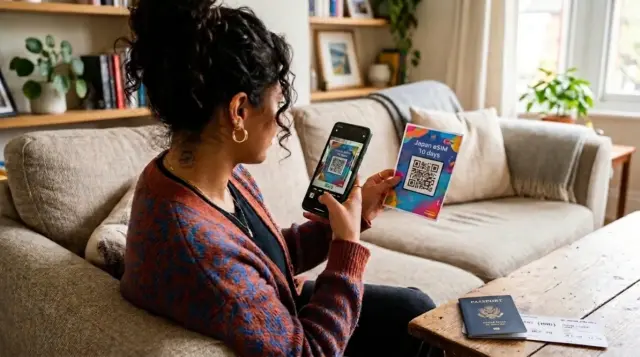
Enter your email address and the other details you need, then pay. You will get an order confirmation, a QR code, setup instructions, and a usage guide. Keep all of them. The QR code is easier to scan if you display it on a second device or print it, rather than on the phone you are setting up.
3. Install the eSIM on Stable WiFi
- iPhone: Go to Settings > Cellular > Add eSIM and scan the QR code.
- Android: Go to Settings > Network & internet > SIMs. The exact labels may vary by model.
Either way, you need a stable internet or WiFi connection to install.
Install when your provider and plan tell you to. Sakura Mobile's Unlimited data eSIM can be installed before you travel, but we recommend doing it after you land in Japan or just before, since some phones show errors outside Japan. Install the 3GB/day data eSIM after you arrive. The day you install it is day one.

Do not delete the eSIM after installation without checking with your provider first. Whether you can reinstall it depends on your plan.
4. Switch Your Data Line After You Land
When you arrive in Japan, set your Japan eSIM as your mobile data line. Keep these two settings separate so nothing gets mixed up:
- Your Japan eSIM: turn on data roaming only if your provider's instructions ask for it.
- Your usual SIM: turn off data roaming so you do not pick up international roaming charges by accident.
Check whether automatic data switching is on as well. If you cannot connect, restart your phone, toggle airplane mode on and off, confirm which line is selected for data, and check the APN settings against your usage guide.
How Much Does a Japan eSIM Cost?

Price depends on how many days you need, how much data, the speed, the network, and the support included. Look past the sticker price and compare the same things across providers: the high-speed data limit, throttling under a fair use policy, hotspot support, extensions, and refund terms.
Sakura Mobile's Travel eSIM starts at 1,375 yen, tax included. For 1-31 days, you can choose the Unlimited data eSIM or the 3GB/day data eSIM. For trips 32 to 90 days, the 3GB/day data eSIM is the only available option. The Unlimited data eSIM runs on the au network with unlimited high-speed data. The 3GB/day data eSIM runs on the docomo network with 3 GB of high-speed data per day.
The table below compares the main services, using official information as of August 2026. Prices change, so check the live page before you buy.
| Provider | Main Plan | Length | Data Terms | Example Price | Network | Hotspot / Fair Use Policy | Support and Notes |
|---|---|---|---|---|---|---|---|
| Sakura Mobile | Travel eSIM | 1-90 days | 1-31 days: Unlimited Data or 3GB/day 32-90 days: 3GB/day | Unlimited: From about 11 USD (1,650 yen, tax incl) 3GB/day: From about 9 USD (1,375 yen, tax incl) | Unlimited Data: au (KDDI) 3GB/day: docomo | Unlimited: No fair use policy. Hotspot capped by trip length 3GB/day: 200 Kbps after 3GB/day | English support. Data-only |
| Ubigi | Japan eSIM | 15 days, 30 days, or monthly | Fixed allowance or unlimited | 10 GB/30 days: about $17 (2,700 yen) Unlimited monthly: about $46 (7,300 yen) | au (KDDI) / docomo | Data sharing available Unlimited drops to 2 Mbps after 60 GB | Smartstart. Can be topped up. Data-only |
| Airalo | Moshi Moshi | 3-30 days | Fixed allowance or unlimited | 20 GB/30 days: about $25 (3,975 yen) Unlimited 30 days: about $69 (10,971 yen) | SoftBank and au (KDDI) | Unlimited drops to 1 Mbps once you pass 3 GB per day | Support in several languages. Top-up available on some plans |
| Holafly | Japan eSIM | 1-90 days | Unlimited | 30 days: about $76 (12,090 yen) | au (KDDI) / SoftBank | Hotspot limited to 1 GB/day Fair use policy may slow speeds temporarily | Support 24/7 Data-only |
Dollar figures are approximate, converted at 159 yen to the dollar on August 22, 2026. Prices and plan terms change, so check each provider's official page before you buy.
Want to know how an international eSIM differs from a Japan eSIM? This article explains how each one connects and what to weigh when you choose.
Local Japan eSIM vs International
Sakura Mobile's Travel eSIM

Sakura Mobile's Travel eSIM is data-only and covers trips up to 90 days. The table below breaks down how the Unlimited data eSIM and 3GB/day data eSIM compare.
Everything from purchase to your QR code happens online, and our English-speaking support team is available if setup gets tricky. You can also add eSIM Compatibility Insurance for 550 yen at checkout. If your device turns out to be incompatible and the situation is covered, you may qualify for a Pocket WiFi instead, or a partial refund minus the insurance fee.
| Provider | Main Plan | Length | Data Terms | Example Price | Network | Hotspot / Fair Use Policy | Support and Notes |
|---|---|---|---|---|---|---|---|
| Sakura Mobile | Travel eSIM | 1-90 days | 1-31 days: Unlimited Data or 3GB/day 32-90 days: 3GB/day | Unlimited: From about 11 USD (1,650 yen, tax incl) 3GB/day: From about 9 USD (1,375 yen, tax incl) | Unlimited Data: au (KDDI) 3GB/day: docomo | Unlimited: No fair use policy. Hotspot capped by trip length 3GB/day: 200 Kbps after 3GB/day | English support. Data-only |
| Ubigi | Japan eSIM | 15 days, 30 days, or monthly | Fixed allowance or unlimited | 10 GB/30 days: about $17 (2,700 yen) Unlimited monthly: about $46 (7,300 yen) | au (KDDI) / docomo | Data sharing available Unlimited drops to 2 Mbps after 60 GB | Smartstart. Can be toppped up. Data-only |
| Airalo | Moshi Moshi | 3-30 days | Fixed allowance or unlimited | 20 GB/30 days: about $25 (3,975 yen) Unlimited 30 days: about $69 (10,971 yen) | SoftBank and au (KDDI) | Unlimited drops to 1 Mbps once you pass 3 GB per day | Support in several languages. Top-up available on some plans |
| Holafly | Japan eSIM | 1-90 days | Unlimited | 30 days: about $76 (12,090 yen) | au (KDDI) / SoftBank | Hotspot limited to 1 GB/day Fair use policy may slow speeds temporarily | Support 24/7 Data-only |
Japan eSIM FAQs

- When should you buy an eSIM for Japan?
Buy before you leave home. That way your order email, QR code, and setup details are saved and ready. You do not have to install it at the same time. Sakura Mobile recommends installing the Unlimited data eSIM after you land in Japan or just before, and the 3GB/day data eSIM after you arrive.
- Can you buy one after you arrive?
Yes, as long as you have stable WiFi and a way to pay online. But if you want maps and train directions working the minute you step off the plane, buy before you fly. Then install it when your plan's instructions say to.
- Can you buy an eSIM at a Japanese airport?
With Sakura Mobile, you can buy a Travel eSIM directly at Kansai International Airport Terminal 1 and at Fukuoka International Airport. At Narita Airport Terminals 1 and 2 and Haneda Airport Terminal 3, the eSIM is online only. Other providers stock different things, so check their official pages and the airport's.
- Does every phone work with an eSIM?
No. Your phone has to support eSIM, and it needs to be unlocked. The same model can differ depending on the country it was sold in. Check that your phone supports the frequency bands used by the network your eSIM runs on, too.
- Can you reinstall an eSIM after deleting it?
It depends on the plan. With Sakura Mobile, the 3GB/day data eSIM and the 5G Fixed Travel eSIM can be reinstalled on the same phone you first installed them on. The Unlimited data eSIM cannot be reinstalled once it is deleted. Do not delete an eSIM on your own. If something looks wrong, contact support first.
- Can You Add Data or Extend Your Plan?
With Sakura Mobile, the Unlimited data eSIM cannot be extended and does not take extra data, so you need to buy a new one. The 3GB/day data eSIM can be extended, but extra data is not available. The 5G Fixed Travel eSIM allows both extensions and extra data.
FAQ
Choose the Japan eSIM That Fits Your Trip
When you pick an eSIM for Japan, look past compatibity and SIM lock. Check the frequency bands, the number of days, the data allowance, the fair use policy, when the plan starts, whether you need a phone number, hotspot support, extensions and extra data, reinstalling after deletion, and the support on offer.
Keep buying and installing separately in your head. Buy before you leave, save the QR code and setup details, then install on the day your plan's instructions recommend. That way, you do not lose days you paid for.
With Sakura Mobile, the Unlimited data eSIM covers 1-31 days and the 3GB/day data eSIM covers up to 90 days, with different terms for each. Check the current price, hotspot limit, install timing, and extension rules on the official page, then pick the plan that matches your trip and the way you use data.
What our clients have to say
Comparing data allowances, prices, and trip lengths? This guide breaks down the SIM and eSIM options for traveling in Japan.