Setting up home internet in Japan is hard for foreign residents. Japanese-only paperwork, long contracts, extra equipment fees, and steep cancellation penalties are common with local providers.
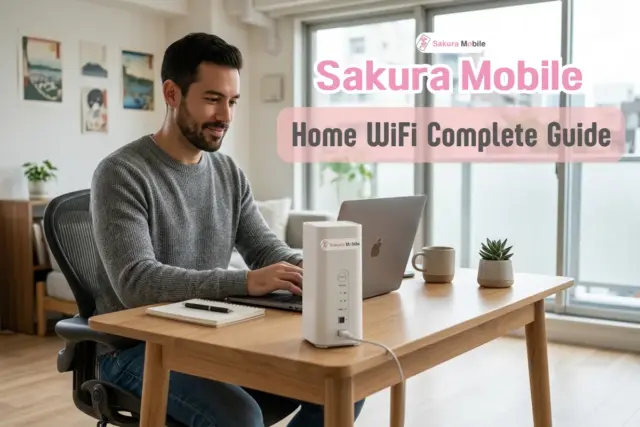
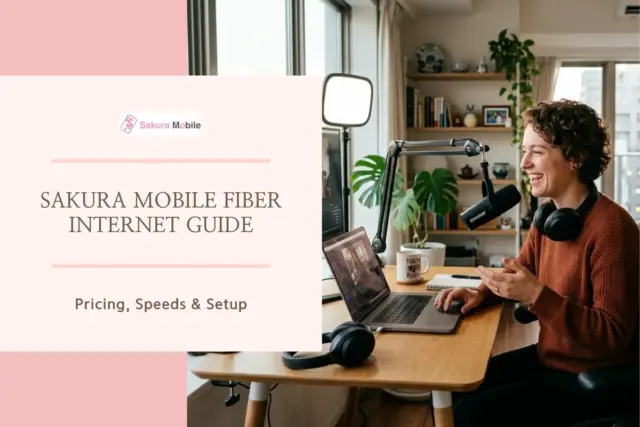
Sakura Mobile Fiber Internet is a home internet service built for international residents. It runs on Japan's national NTT fiber network, offers full English support, and uses month-to-month contracts instead of long-term lock-ins.
Sakura Fiber at a Glance
- Network: Runs on NTT, Japan's largest fiber-optic network.
- Contract: Month-to-month. No long-term contract and no cancellation fee.
- Support: English-language support for setup, billing, and landlord communication.
- Equipment: Router, Internet Service Provider (ISP) access, and installation are included in the price. No separate equipment purchase.
What Network Does Sakura Mobile Use?
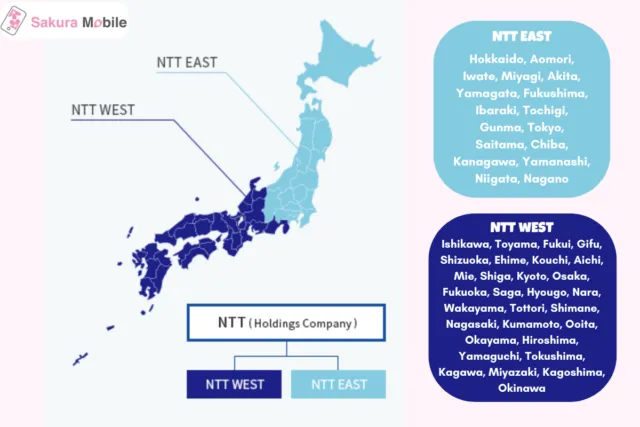
Sakura Mobile runs on NTT East and NTT West (NTT FLET'S Hikari), which covers more than 90% of Japan. Many apartments already have fiber lines installed, since this is the same infrastructure used by local Japanese providers. Customers get the same speeds and reliability as any other NTT fiber customer.
Sakura Mobile Fiber Pricing & Plans
Sakura Mobile does not charge installation fees until the connection is confirmed active. If installation cannot be completed, there is no charge.
| Plan | Monthly Fee (Tax Incl.) | Setup Cost (Tax Incl.) | Contract |
|---|---|---|---|
| 1 Gbps Fiber | 7,678 JPY | 5,500 JPY registration + 3,300-25,300 JPY installation | 1-month minimum |
| 10 Gbps Fiber | 10,428 JPY | 5,500 JPY registration + 3,300-25,300 JPY installation | 1-month minimum |
Note on speed: 1 Gbps and 10 Gbps are maximum possible speeds, not guaranteed speeds. Japanese internet uses a "best-effort" standard, meaing actual speeds depend on your device, home wiring, and local network traffic. A wired connection typically reaches close to 1 Gbps. WiFi typically tops out around 800 Mbps.
Which Plan Fits You?
| User Type | Recommended Plan | Best For | Equipment Included |
|---|---|---|---|
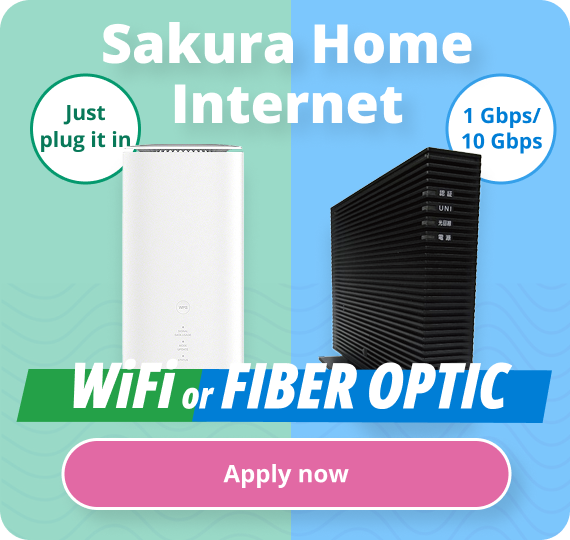
| Gamers & Streamers | 1 Gbps | Low-lag gaming, 4K streaming, multiple devices | TP-Link wireless router |
| Power Users & Creators | 10 Gbps | Large file transfers, home file storage | NTT Home Gateway + ONU modem |
| Short-Term Residents | 5G Home WiFi | No installation needed; good for strict-landlord buildings | Plug-and-play 5G router |
Installation Timeline
Sakura Mobile contacts you within 1 to 2 business days of applying to schedule installation. Full setup usually takes 7 days to 1 month, depending on technician availability and whether your building already has fiber wiring or not.
Installation is done by an NTT-contracted technician. In most cases, this only adds a wall port—no drilling is required.
Your Apartment's Wiring Type
NTT and your building management determine your wiring type. You cannot choose it yourself.
- Fiber-optic: A direct fiber line runs to your room. Fastest option.
- VDSL: Internet runs over existing phone lines. Maximum speed is capped at 100 Mbps.
- LAN: Internet runs over existing in-building LAN cables. Also capped at 100 Mbps.
Sakura Mobile's bilingual team handles all Japanese-language communication with your landlord, building management, and NTT technicians. English-Japanese interpretation is available on installation day.
Japan's Moving Seasons
March and April are Japan's busiest moving months, when large numbers of students and employees relocate at once. Installation slots fill up quickly during this period. Applying early is the best way to avoid a long wait.
Temporary WiFi While You Wait
Sakura Mobile ships a temporary Pocket WiFi device within 1 to 2 days of signup, so you have internet while waiting for fiber installation. Once your fiber connection is active, return the hotspot within 5 days using the prepaid envelope provided.
Equipment Setup
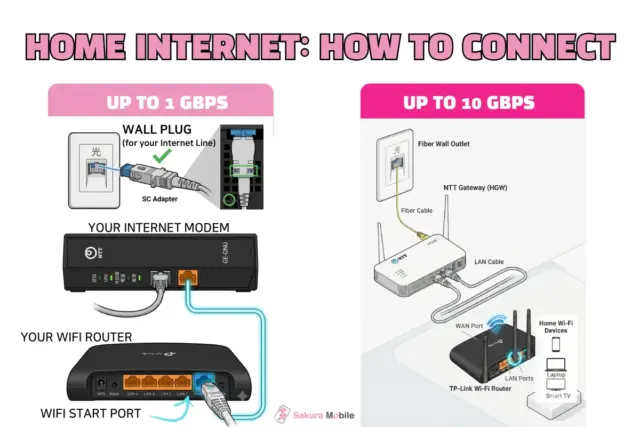
1 Gbps Fiber or VDSL Setup
- Connect the fiber cable from the wall port to the NTT modem (ONU).
- Plug in the ONU power adapter.
- Connect a LAN cable from the ONU to the blue WAN port on the TP-Link router.
- Plug in the TP-Link router.
10 Gbps Setup
- Connect the fiber cable from the wall port to the ONU's LINE port.
- Plug in the ONU power adapter.
- Connect a LAN cable from the ONU's UNI port to the blue 10G WAN port on the NTT Home Gateway.
- Plug in the Home Gateway. It will update automatically and restart.
- Your WiFi name (SSID) and password are printed on a sticker on the device or its box.
Can I Use My Own Router?
Yes, but it isn't officially supported. The included router is pre-configured for Japan's IPoE/DS-Lite network, which most Japanese ISPs use, and which lets devices connect without extra setup.
A personal router needs to support DS-Lite, or you'll need to request the older PPPoE setup—which isn't available on the 10 Gbps plan. Using your own router does not lower your monthly cost, so most customers keep the provided one.
Application & Contract Terms
Applying online—including ID submission and scheduling—usually takes 1 to 2 business days. Sakura Mobile accepts international credit cards, debit cards, and convenience-store cash payment (Smart Pit).
Contracts are month-to-month, with no early-termination fee. To cancel, submit a request through the My Page portal by the 25th of the month. Service ends on the last day of that month.
Required ID Documents
Documents must be current, in color, and submitted as photos—photocopies and scans are not accepted. Submit documents at least three days before your installation date, or the appointment will be postponed.
| Option | Main Document | Supporting Document | Notes |
|---|---|---|---|
| Residence Card | Both sides, current address | Rental or purchase contract if address is outdated | — |
| Passport | Photo page | Utility bill (under 3 months old) or rental/purchase contract | Bill must be gas, water, or electric; no propane |
| Driver's License | Both sides, Japan-issued only | Residence card or utility bill if address is outdated | Foreign licenses not accepted |
| My Number Card | Front side only | — | Do not submit the back |
| US Military | Passport photo page | Utility bill or rental/purchase contract | For personnel without a Residence Card |
Cancelling & Returning Equipment
- Deadline: Submit cancellation through My Page by the 25th of the month to end service that same month.
- Equipment Return: Return rented NTT equipment within 1 month using the mail-back kit or by shipping it directly.
- Keep for Free: The TP-Link router (1 Gbps plan) is yours to keep.
Basic Troubleshooting
Check that the LAN cable is firmly connected from the ONU to the router's blue WAN port.
- Factory-reset the router by holding the pinhole reset button for 5 seconds.
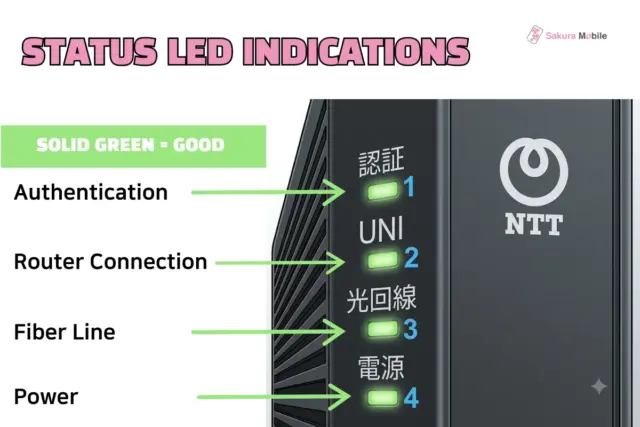
- Check the status lights—Authentication, Router Connection, Fiber Line, and Power should all show solid green.
FAQ
- Q: What if my landlord won't allow drilling for the wire?
A: Most apartments already have fiber wiring connected to a central terminal box, so drilling usually isn't needed. If your building has strict rules, Sakura Mobile's 5G Home WiFi is a plug-and-play alternative that needs no installation.
- Q: When do I pay setup and installation fees?
A: Sakura Mobile charges your registration fee and actual installation costs only after your fiber network is confirmed fully active.
- Q: How do I cancel if I move out of Japan unexpectedly?
A: Submit a cancellation request through My Page by the 25th of your final month. There is no lock-in period or cancellation fee.
FAQ
Is Sakura Fiber Right for Your Home?
Getting high-speed internet in Japan does not have to mean wrestling with language barriers, confusing wiring frameworks, or getting locked into 2-year contracts. By combining premium nationwide NTT infrastructure with complete English support, landlord mediation, and month-to-month contracts, Sakura Mobile gives you the peace of mind you deserve.
Ready to get connected? Head over to the official site to check your building's coverage and secure your high-speed home internet today.