Traveling to Japan is an incredible experience, but staying connected shouldn't be a struggle. Whether you are navigating the complex subways of Tokyo, posting cherry blossom photos from Kyoto, or working remotely from a village in the Japanese Alps, you need internet that just works.
In this guide, we will break down why Sakura Mobile Pocket WiFi is the top choice for travelers in 2026. From "Truly Unlimited" data facts to airport pickups, this is everything you need to know for a stress-free trip.
Quick Specs: Sakura Mobile at a Glance
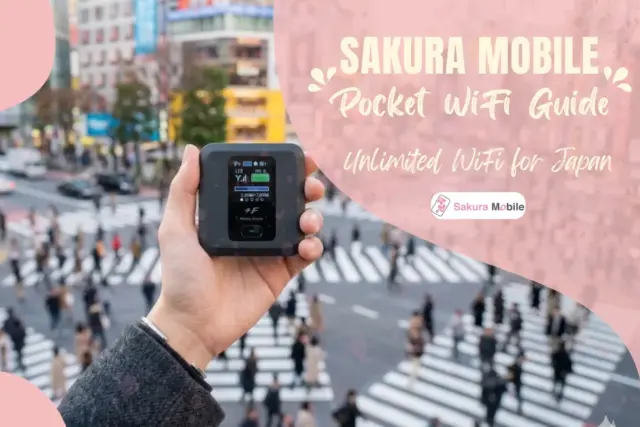
To help you decide quickly, here is a breakdown of Sakura Mobile's Pocket WiFi unit:
| Feature | Specification |
|---|---|
| Network | NTT docomo (one of Japan's top networks) |
| Data Limit | Unlimited (10 GB daily high-speed guarantee) |
| Battery Life | 20 hours (Continuous use) |
| Max Devices | Connect up to 15 devices (5 recommended for best speed) |
| Size | 74 x 74 x 17 mm (Fits in your pocket) |
| Compatibility | Works wtih most WiFi-enabled devices (no SIM or setup required) |
Is Pocket WiFi Right for You?
| Traveler Type | Is Pocket WiFi a Good Fit? | Why? |
|---|---|---|
| First-Time Travelers | ⭐⭐⭐⭐⭐ | No setup, works instantly |
| Families/Groups | ⭐⭐⭐⭐⭐ | Share 1 device, save money |
| Digital Nomads & Business | ⭐⭐⭐⭐⭐ | Connects laptop and phone at once |
| Content Creators | ⭐⭐⭐⭐⭐ | Stable + high daily data |
| Rural Explorers | ⭐⭐⭐⭐⭐ | docomo network reaches areas where others fail |
| Solo Light Travelers | ⭐⭐⭐ | eSIM may be simpler and cheaper |
- Quick Specs: Sakura Mobile at a Glance
- The "Why" Behind Sakura Mobile
- Built for the Modern Traveler
- Why 3,000+ Travelers Choose Us
- Pricing & Value: Professional Connectivity for Less
- Where to Pick Up Your Device
- Setup & Usage: The "Zero-Configuration" Experience
- Returns Made Simple: The "Pack & Drop" System
- Managing Your Rental: Extensions
- Your Seamless Japan Journey Starts Here
- Travel Pocket WiFi FAQ
The "Why" Behind Sakura Mobile
When you land in Japan, you will see many WiFi rental stalls. However, not all Pocket WiFi services are built the same. Sakura Mobile focuses on the things that matter most to international visitors: Coverage and Communication.
The docomo Advantage: Coverage Where Others Fail
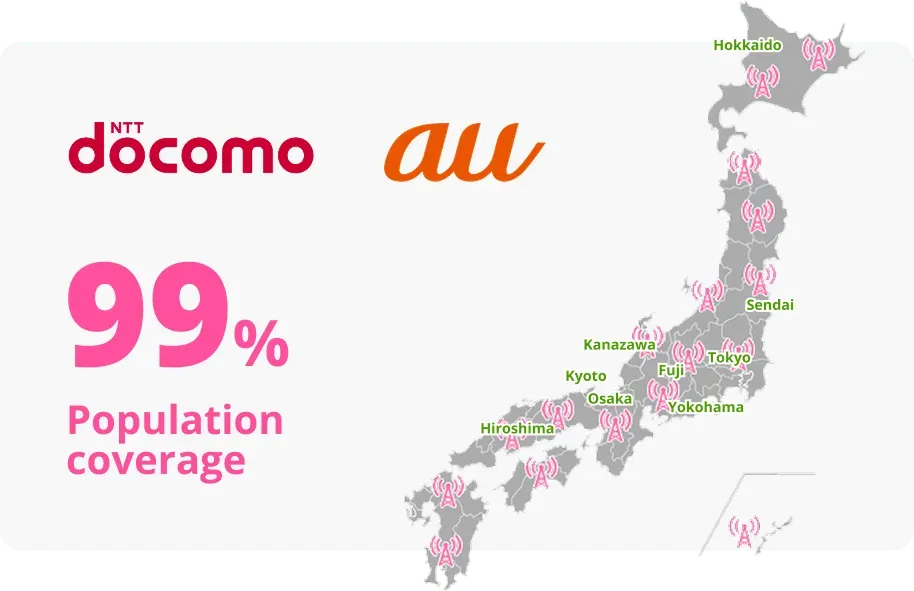
Most rental companies use SoftBank or au networks. We choose NTT docomo. Why? Because docomo is the "Platinum" network of Japan. It has the widest coverage in rural areas and the strongest signal penetration in mountain regions. If you are planning to visit places like Hakone, Takayama, or Hokkaido, docomo is the only way to ensure you aren't stuck without GPS.
English-First Service: No "Lost in Translation" Issues
Many travelers run into trouble when their device has a technical glitch and the support team only speaks Japanese. At Sakura Mobile, we are an English-first company. Our team is available 7 days a week to help you. From the moment you order until the day you return the device, you can communicate with us easily in English.
Built for the Modern Traveler
A travel router is only as good as its performance. Our Pocket Wifi is built to meet the needs of families, business travelers, and content creators.
Unlimited Data: The 10 GB High-Speed Guarantee
Most "unlimited" plans in Japan have a hidden "Fair Usage Policy" (FUP) that slows your speed to a crawl after just 1 or 2 GB.

The Sakura Mobile Difference: We are transparent. We guarantee 10 GB of high-speed data every single day. Even if you use more than 10 GB, we do not cut you off. Your speed may slow down temporarily, but it resets every night at midnight. This is plenty of data for hours of video calls, streaming, and navigation.
The 20-Hour Powerhouse: From Coffee to Ramen
Standard Pocket WiFi units usually die after 6 to 8 hours. Our device is built for long days of sightseeing. With a 20-hour battery life, you can turn it on at your hotel in the morning and it will still be running when you are out for late-night ramen.
15-Device Connectivity: Power for the Whole Group
Traveling with family? One Sakura Mobile device can connect up to 15 devices at once. This includes smartphones, tablets, laptops, and even gaming consoles. While you can connect 15, we recommend staying around 5 devices simultaneously to maintain the fastest speed for everyone.
Why 3,000+ Travelers Choose Us
In 2026, the market for travel internet in Japan is crowded. We know that data speeds and battery life matter, but trust is what ultimately determines your travel experience. Sakura Mobile consistently ranks as a top-tier provider because we prioritize human connection and transparency.
Verified Ratings
We are proud to maintain high ratings across the world's most trusted review platforms:
- Trustpilot: ⭐4.7/5 (Based on 1,300+ reviews)
- Google Reviews: ⭐ 4.6/5 (Based on 500+ reviews)
What our clients have to say
Pricing & Value: Professional Connectivity for Less
We believe that high-quality internet should be affordable. We offer high-speed, quality connectivity without the high-end price tag.
Transparent Daily Rates: 299 JPY
Our pricing starts as low as 299 JPY (approx. $2 USD) per day for longer rentals. There are no hidden activation fees or surprise charges. What you see during the checkout process is exactly what you pay.
The Cost-Efficiency of Group Sharing
Think about the math: If a family of four buys four separate eSIMs, the cost adds up very quickly. By sharing one Sakura Mobile Pocket WiFi, you divide the cost by four. It is the most economical way for groups to stay connected in Japan.
Insurance & Add-Ons for Peace of Mind
Accidents happen. We highly recommend our Insurance Plan for 110 JPY/day. This covers 100% of the cost if the device is lost, stolen, or damaged. For a small daily fee, you can travel without worrying about a large replacement bill.
Where to Pick Up Your Device
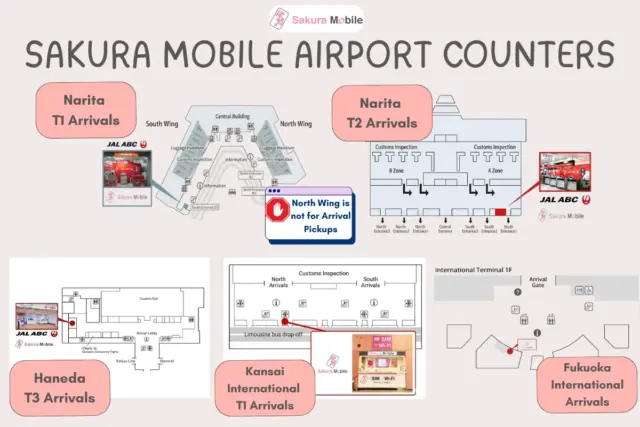
The last thing you want to do after a 12-hour flight is hunt for a WiFi counter. Here is exactly where to find us.
Narita Airport: A Quick Map
- Terminal 1: Go to the South Wing 1F (Arrivals). Look for the JAL ABC Counter.

⚠️ Warning: Do not go to the North Wing JAL ABC Counter. They do not hold our devices!
- Terminal 2: Go to 1F (Arrivals) and find the JAL ABC Counter.
- Terminal 3: Narita Terminal 3 does not have a pickup counter. If you land here, you must take the free shuttle bus or walk the 630-meter sky bridge to Terminal 2 to get your device.
Haneda, Kansai, Fukuoka, and Beyond
- Haneda Airport (T3): 2F Arrival Lobby, JAL ABC Counter.
📌 Note: Closed between 1:00 AM and 4:00 AM
- Kansai Airport (T1): 1F Arrival Lobby. Look for the dedicated Sakura Mobile Counter. Open 6:00 AM to 11:00 PM.
- Fukuoka Airport (T1): 1F Arrival Lobby. Dedicated Sakura Mobile Counter. Open 7:00 AM to 9:00 PM every day.
- Other Locations: We also have pickup points at Chubu Centrair and New Chitose airports.
Shinjuku Office & Residential Delivery
Already in Japan? Visit our Shinjuku Office (5-minute walk from Shinjuku Station) for a personal pickup. We also ship to hotels, Airbnbs, or residential addresses, timed to arrive the night before you start.
Setup & Usage: The "Zero-Configuration" Experience
We know you want to get online immediately. That is why we made our setup as simple as possible.
100% Compatibility: No Stress Setup
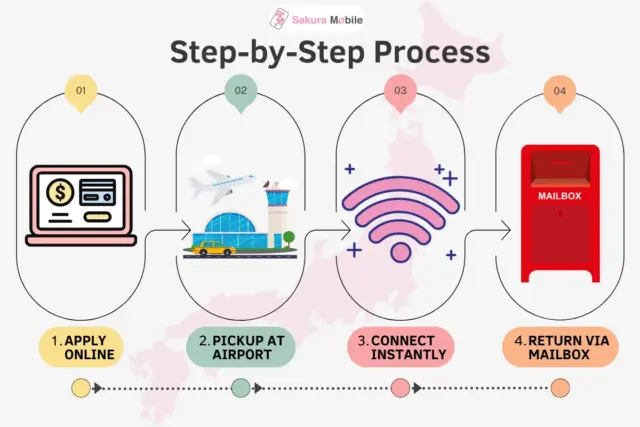
You don't need to unlock your phone or change any "APN" settings. If your device has WiFi, it will work.
- Turn it on.
- Find the WiFi name on your phone.
- Enter the password (or scan the QR code on the screen).
- You're connected!
What's in the Box?
Your Sakura Mobile pouch contains:
- The Pocket WiFi device (74 x 74 x 17 mm)
- An AC wall charger and USB cable
- An easy instruction manual
- The Prepaid Return Envelope: Keep this safe! You'll need it to go home.
Returns Made Simple: The "Pack & Drop" System
Returning your device is just as easy as picking it up. There are no lines and no paperwork.
Using the Prepaid Return Envelope
When your trip is over, simply put the device and cables back into the pouch, place the pouch into the provided envelope, and seal it. You do not need to buy stamps or go to a post office counter.
Finding Mailboxes: Drop and Go
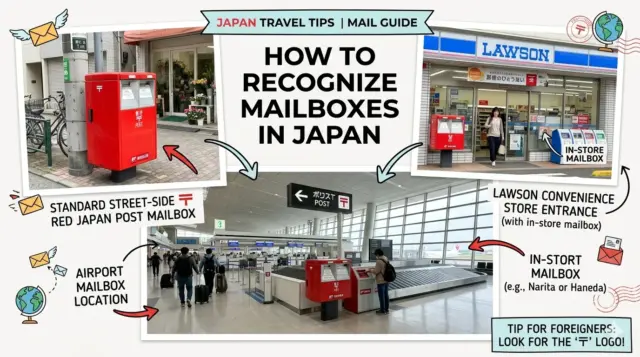
You can drop the envelope into any Japan Post mailbox in the country. You will find these:
- On almost every street corner
- Inside all Lawson convenience stores
- At the airport before you go through security and immigration
As long as you drop it in by midnight on your return date, you are all set!
Managing Your Rental: Extensions
Plans change. Maybe you decided to stay an extra week in Osaka?
You can extend your rental mid-trip with one click. Simply visit our Rental Extension Page and enter your order information. You don't need to swap devices. Your current one will continue working!
Your Seamless Japan Journey Starts Here
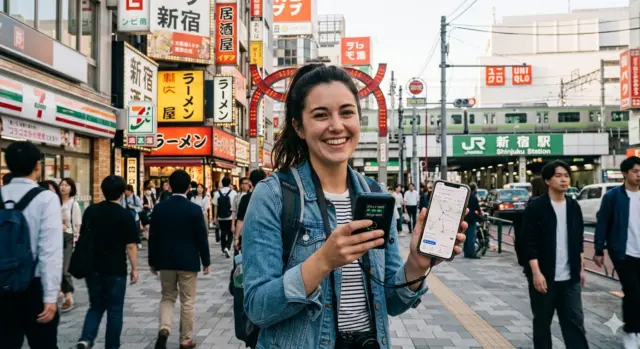
The best part of a vacation is the memories you make, not the time spent fighting with a bad internet connection. By choosing Sakura Mobile, you are choosing one of Japan's best networks, a battery that lasts all day, and a team that speaks your language.
Ready to start your adventure?
Travel Pocket WiFi FAQ
- Q: Is Sakura Mobile Pocket WiFi Unlimited?
A: Yes. Sakura Mobile gives you unlimited data with 10 GB high-speed guarantee every day. You will never be disconnected, no matter how much you use. If you go over 10 GB in one day, your speed may slow down for a while, but it resets to full speed every midnight.
- Q: Where can I pick up my Sakura Mobile device?
A: You can pick up your device at major airports, our Shinjuku office, or have it delivered to your hotel. You must show your physical passport to collect your order.
Pickup Point Location Hours Narita (T1/T2) JAL ABC Counter 6:30 AM – Late Haneda JAL ABC Counter Closed 1 AM – 4 AM Kansai (T1) Sakura Counter 6:00 AM – 11:00 PM Fukuoka Sakura Counter 7:00 AM – 9:00 PM Shinjuku Zenken Plaza II, 6F 10:00 AM – 5:00 PM
Note: Narita Terminal 3 has no counter. Take the shuttle or walk to Terminal 2.- Q: How do I return my Pocket WiFi?
A: Our easy "Pack & Drop" method:
- Pack: Put the device and cables into the pouch.
- Seal: Place the pouch in our prepaid return envelope.
- Drop: Drop it into any red Japan Post mailbox. You can find these on street corners, in Lawson stores, and at airports (before security).
- Q: How many devices can connect at once?
A: You can connect up to 15 devices (phones, laptops, tablets) at the same time. For the fastest speeds, we recommend connecting up to 5 devices. This is the best value for families and groups.
- Q: What is the battery life and how do I charge it?
A: The battery lasts up to 20 hours, enough for a full day of travel.
- Charging: Use included Micro USB cable and wall plug.
FAQ

Tip: Connecting many devices drains the battery faster. You can use any portable power bank to charge it on the go.