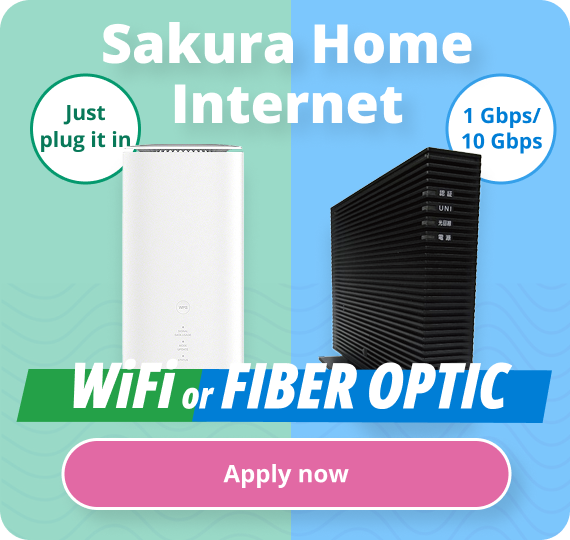
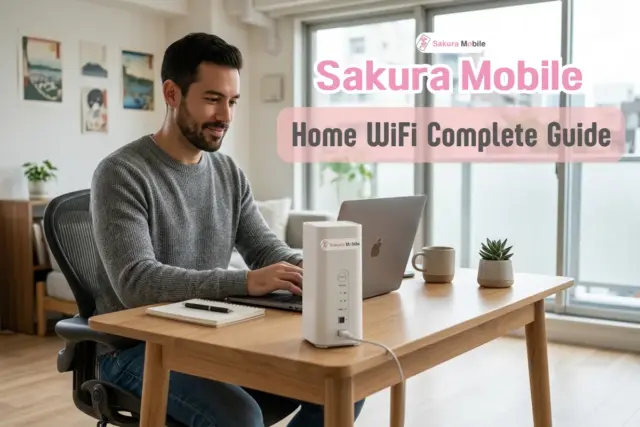
Getting home internet in Japan is hard if you don't speak Japanese. Most plans need a technician visit, a long contract, and weeks of waiting. Sakura Mobile's Home WiFi skips all of that. You plug in a small device, and your internet works right away.
This guide explains what Sakura Mobile Home WiFi is, how much it costs, how to set it up, and how to get the best signal in your home.
TL;DR: Sakura Mobile Home WiFi at a Glance
- What it is: A plug-and-play home WiFi router using fast 5G/4G networks. Just plug it in—no installation or approval needed.
- The advantage: Perfect for instant internet, share houses, dorms, or anyone planning to move within Japan. Easy to take with you.
- Key Features: Unlimited data, English support, and flexible monthly plans (1-month minimum).
- Payment: Accepts foreign credit and debit cards.
- TL;DR: Sakura Mobile Home WiFi at a Glance
- What Is Sakura Mobile Home WiFi?
- Sakura Mobile Home WiFi Pricing
- How to Get Started with Sakura Mobile Home WiFi
- Coverage, Speed & Reliability
- Why Home WiFi Fits Life in Japan
- How to Get the Best Signal
- Frequently Asked Questions About Sakura Mobile Home WiFi
- Ready to Get Connected?
What Is Sakura Mobile Home WiFi?
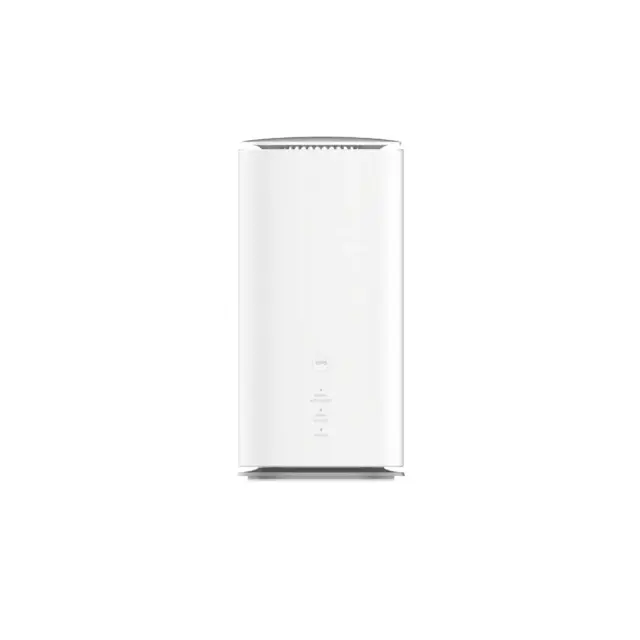
Sakura Mobile Home WiFi is a device that gives you internet at home without running any cables into your wall. It works a lot like a phone's mobile data, but it's built to cover your home.
How It Works
The device connects to Japan's 5G and 4G mobile networks. That means it doesn't need a phone line or a fiber cable. You just plug it into a power outlet, and it turns on right away.
Once it's on, you can connect to it two ways:
- WiFi: Connect your phone, laptop, or tablet just like you would to any wireless network.
- Ethernet cable: Plug in a LAN cable for a wired connection.
There's no router to set up. There's no modem. There's no technician visit. You plug it in, and it works.
Sakura Mobile Home WiFi Pricing
Knowing the real cost upfront matters. Here's exactly what you'll pay.
| Fee Type | Amount (Tax Incl.) | Details |
|---|---|---|
| Monthly Fee | 7,678 yen | Unlimited 5G/4G data usage |
| Initial Fee | 5,500 yen | One-time contract activation fee |
| Installation Fee | 0 yen | Self-installed, plug-and-play device |
There are no hidden installation charges. The only standard upfront cost is the one-time initial fee when you sign up.
How You Can Pay
You have two ways of paying your bills:
- Credit / Debit Card: Sakura Mobile accepts VISA, MasterCard, JCB, AMEX, Discover, and Diners. Cards issued outside Japan work too!
- Cash Through Smart Pit: You can pay in cash at convenience stores each month. A few things to know: you'll pay a deposit when you receive your device (an additional upfront fee).
Sakura Mobile does not accept bank transfers, cash cards, or prepaid cards.
What "Unlimited Data" Really Means
Sakura Mobile doesn't put a hard cap on your data.
Simply put: if you stream shows, take video calls, browse the web, or play video games like a normal person, you won't run into problems. The only time issues might come up is with extreme use, like moving huge amounts of data every single day.
How to Get Started with Sakura Mobile Home WiFi
Getting your Home WiFi set up takes just a few steps.
Step-by-Step Application Process
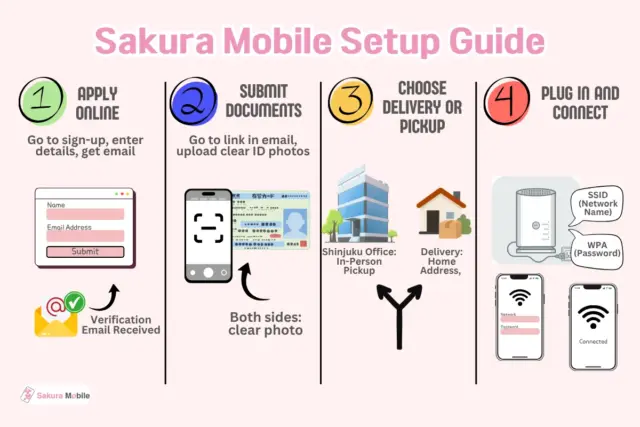
Step 1: Apply Online
Go to the sign-up page and fill out the application. You'll need an email address that can receive messages from contact@sakuramobile.jp. After you submit the form, you'll get a verification email.
Step 2: Submit Your Documents
The verification email has a link to upload your ID documents. Make sure your name, address, and birthdate match what's on your application. Upload clear photos of both sides of your document. Blurry or unclear photos can delay your application.
Step 3: Choose Delivery or Pickup
You have 3 options:
- Delivery: Your device ships straight to your address. You'll need a residence card showing your current address.
- Shinjuku Office Pickup: Pick up your device in person at the Shinjuku office.
Step 4: Plug In and Connect
Once your device arrives, plug it into any wall outlet. Look at the bottom of your device for two things: the network name (called the SSID) and the password (called the WPA key). Select that network name on your phone or computer, type in the password, and you're online!

💡 Quick Tip: For an even faster setup, open your smartphone camera and scan the built-in QR code on the router sticker. This connects your phone instantly without typing a password.
Documents You'll Need
The most common document is a residence card. If you're picking up your device at the Shinjuku office, a passport alone is enough. You don't need to show proof of address in that case.
Other accepted documents include:
- My Number Card (valid)
- Japanese driver's license
- Health insurance card
- Special permanent resident certificate
One important rule: the name on your document has to match the name on your application exactly.
Coverage, Speed & Reliability
Where Does It Work?
Sakura Mobile Home WiFi runs on a local Japan mobile network, so it works almost anywhere in the country that has cell signal. That covers most cities, suburbs, and residential areas across Japan.
What Kind of Performance Can You Expect?
| Use Case | Performance |
|---|---|
| Watching HD Video | Excellent |
| General Speed | Great |
| Staying Connected (Stability) | Great |
| Online Gaming | Good |
A Few Honest Notes on Speed
This device runs on a mobile signal instead of a fiber cable. That means a few things can affect your actual speed:
- The materials your building is made of (thick concrete can block signal)
- Where in your room you place the device
- How many other people are using the network nearby
Sakura Mobile lists maximum possible speeds, but your real speed depends on your specific location and device. This is normal for any mobile-based internet.
Why Home WiFi Fits Life in Japan
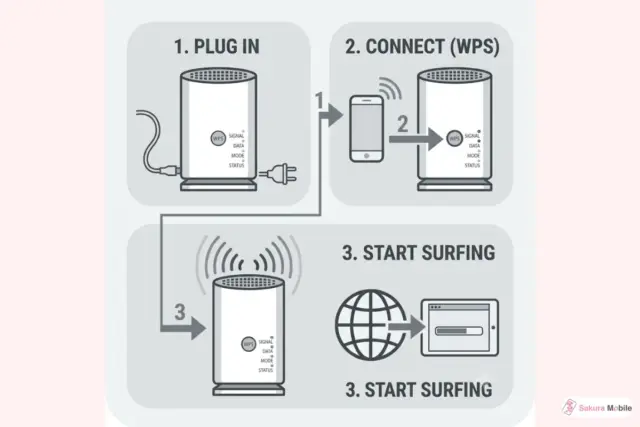
No Installation Means No Stress
Because there's nothing to install, you can take the device with you anywhere. Moving to a new apartment? Unplug it, pack it, and plug it back in at your new place. There's no need to schedule a technician or wait for a new setup.
Unlike standard Japanese home internet that traps you in a 2-year contract with expensive termination fees, Sakura Mobile Home WiFi offers flexible, month-to-month service. You can cancel anytime with no long-term commitment or early termination fees.
Who Is This Best For?
- New residents who need internet working on day one, before they've figured out how anything else in Japan works.
- Share house and dormitory residents who can't install permanent equipment or get landlord permission.
- People who move often, whether between apartments or cities.
- Anyone switching away from a complicated setup that required a technician or a long contract.
English Support from Start to Finish
Every part of the experience, signing up, paying, asking questions, happens in English. If something goes wrong, you can explain your problem clearly and get help back in a language you understand.
How to Get the Best Signal
Sometimes your connection might feel slow or weak. Here's how to fix that:
Try a Simple Reset First
Unplug the power cord from the device. Wait a few seconds, then plug it back in. Give it a few minutes for the lights to turn on and settle. Then reconnect and try again. This fixes most small issues right away.
Move the Device to a Better Spot
Since this device uses mobile signal, its performance depends on where you place it. As a general rule:
- Put it in an open space.
- Keep it close to a window, though the very best spot depends on your building's layout.
- Keep it away from thick concrete walls.
- Keep it away from large appliances like microwaves and refirgerators.
Use the Suggested Position Tool
Sakura Mobile's device has a built-in tool to help you find the best spot in your home.
- Connect your Home WiFi network using WiFi or an ethernet cable.
- Open this address in your browser: http://192.168.0.1/ (the password is on the bottom of your device).
- Click the magnifying glass icon.
- Tap "DETECT NOW" to test the signal at your current spot.
- Move the device and repeat until you see a result of "Good," "Great," or "Perfect."
What our clients have to say
Frequently Asked Questions About Sakura Mobile Home WiFi
- Q: How does a Sakura Mobile Home WiFi differ from a standard Pocket WiFi?
A: A Pocket WiFi is a portable, battery-powered device meant for travel with speeds of 1-40 Mbps. A Sakura Mobile Home WiFi is a stationary, plug-in device with larger antennas that provide a stronger signal and faster speeds of 10-150+ Mbps. Choose Home WiFi for streaming and working from home. Choose Pocket WiFi if you're constantly on the move.
- Q: Can I use Sakura Mobile Home WiFi for online gaming or corporate VPNs?
A: It works for video calls and casual gaming, but it is not as fast as a fiber-optic line.
- Q: Can I pay in cash without a Japanese credit card?
A: Yes. You can pay via the Smart Pit system at convenience stores. A deposit equivalent to two months of payments is required, which covers your final two months of service.
- Q: What is the contract length, and how do I cancel?
A: There is no long-term contract. The minimum term is just one calendar month. To cancel, submit a request via your "Sakura Mobile My Page" by the 25th of the month. Requests made on the 26th or later will end the service at the end of the next month. Fees are not prorated.
- Q: How do I return the Home WiFi router?
A: Since the equipment is a rental, return it within 5 days of your contract ending. Place the router and all the parts in the provided prepaid box or envelope, and drop it at a Japan Post office, mailbox, or participating convenience store (like Lawson). Ensure the device is clean to avoid penalty fees.
FAQ
Ready to Get Connected?
Sakura Mobile's Home WiFi device gets you online fast, without a technician, a long contract, or a language barrier. Plug it in, connect, and you're done!