Traveling in Japan? Yes, free WiFi exists—but it comes with limits. While it can help you save on mobile data, relying only on free WiFi may leave you frustrated with weak signals, slow speeds, or security risks.
In this guide, we'll show where free WiFi is commonly available, what challenges to expect, and how dedicated internet options, like Sakura Mobile's Pocket WiFi, compare to relying solely on public networks.
- Can You Rely on Free WiFi in Japan?
- Do Airports Have Free WiFi?
- Do Trains Have Free WiFi?
- Where Can You Find Free WiFi in Japan?
- Why Free WiFi Is Not Enough for Travelers
- Best Internet Options for Japan Travel
- Why Choose Sakura Mobile's Pocket WiFi?
- Why Travelers Choose Sakura Mobile
- FAQ: Free WiFi in Japan
Can You Rely on Free WiFi in Japan?
Free WiFi is widespread in Japan, but it's not always dependable. Coverage can be spotty, especially outside major cities or popular tourist areas. Some networks require registration, apps, or phone verification, which can be inconvenient for travelers.
Common free WiFi spots include:
- Airports – Major airports like Narita, Haneda, and Kansai offer free WiFi for international travelers.
- Train Stations – Most JR East stations provide JR_EAST_FREE_Wi-Fi for passengers.
- Hotels and Cafes – International hotel chains and cafe chains like Starbucks, Tully's Coffee, and Doutor typically offer free WiFi.
- Convenience Stores – Stores like 7-Eleven, FamilyMart, and Lawson offer free WiFi, though the connection can be slow during peak hours.
- Tourist Spots and Museums – Popular destinations often provide free networks, but coverage is limited to specific areas.
Even in these locations, connections can be unreliable, slow, or require repeated logins. Security is another concern—public WiFi is often unencrypted, making it easier for hackers to intercept data.
That's why we recommend using a more reliable first option. Sakura Mobile's Pocket WiFi gives you fast, secure internet anywhere in Japan, without worrying about passwords, app downloads, or weak signals.🌸
Do Airports Have Free WiFi?
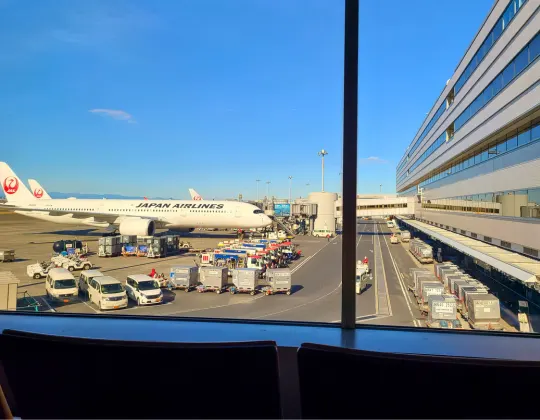
Yes! Major Japanese airports provide free WiFi for travelers. You'll find networks at:
- Narita Airport
- Haneda Airport
- Kansai Airport
- Fukuoka Airport
- New Chitose
| Airport | Network Name | Registration Required | Notes / Limitations |
|---|---|---|---|
| Narita Airport | FreeWiFi-NARITA | Yes | Available throughout terminals; unsecured signal |
| Haneda Airport | HANEDA-FREE-WIFI | Yes | Unsecured; session limits vary |
| Kansai Airport | #AirportFreeWiFi-Kansai #AirportFreeWiFi-Kansai2.4G | Yes | Coverage in terminals and lounges |
| New Chitose Airport | NewChitose_Airport_Free_Wi-Fi | Yes (policy acceptance only) | Available in domestic/international terminals & corridors; insecure network |
| Fukuoka Airport | AirportFreeWiFi-2.4G AirportFreeWiFi-5.0G | Yes | Signal varies by terminal |
Connecting is straightforward. Some airports also offer paid options for more secure, high-speed networks if you need extra privacy. Keep in mind: public WiFi is generally unencrypted, so avoid logging in to banking or sensitive accounts while connected.
Note: Certain lounges or shops might not have coverage.

Flying to Japan soon?
Check out our airport guides below to prepare your trip!
Highway Buses & Michi-no-Eki (Roadside Stations)
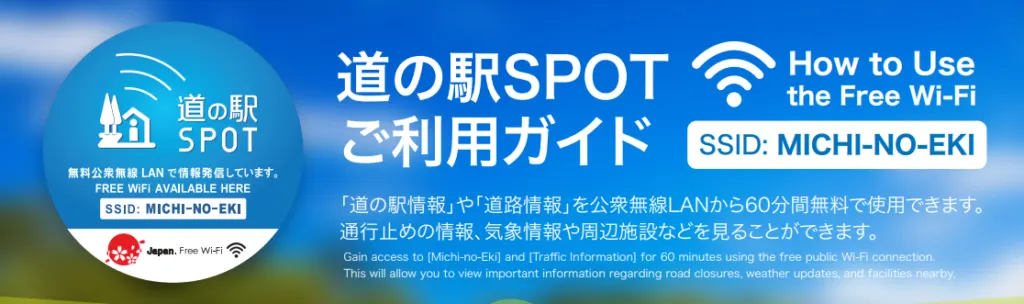
Photo courtesy of d51 Station
Many expressway and airport buses at Michi-no-Eki provide free WiFi. Availability varies by operator, and speeds are usually slower. Plan ahead if you need large downloads.
Do Trains Have Free WiFi?
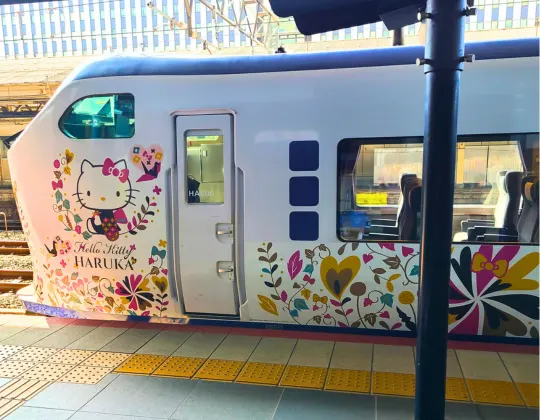
Japan Railways (JR) and many subway systems in Tokyo, Osaka, and other major cities offer free WiFi at stations and on select trains.
- JR-EAST FREE Wi-Fi
- JR West and JR Kyushu – Offer free WiFi at major stations.
- Shinkansen (bullet trains) – Selected services provide WiFi, but coverage can be limited on rural stretches.
Security and speed can be limited. Public WiFi on trains is best for checking maps or messages, not streaming or online banking.
| Railway / Station | Network Name | Registration Required | Notes / Limitations |
|---|---|---|---|
| JR East (Tokyo, surrounding areas) | JR-EAST_FREE_Wi-Fi | Yes | Session limit: usually 60 minutes per login |
| JR West / JR Kyushu / JR Shikoku / JR Hokkaido | JR-WEST_FREE_Wi-Fi | Yes | Major stations only; coverage on trains may vary |
| JR Central (Tokaido/Sanyo Shinkansen) | On Tokaido Shinkansen Trains: Shinkansen_Free_Wi-Fi At JR Central Stations: JR-Central_FREE | Yes | Shinkansen and station coverage; speed may vary |
| Tokyo Metro | Metro_Free_Wi-Fi | Yes | Some lines only; login required per session |
| Toei Subway | Toei_Subway_Free_Wi-Fi | Yes | Coverage in stations; some lines only |
| Odakyu Railway | ODAKYU-HAKONE_FREE | Yes | Available at major stations and Hakone areas |
| Keisei Electric Railway | KEISEI_FREE_Wi-Fi | No | Major stations and Skyliner trains; some limits on session time |
| Shinkansen (Tokaido, Sanyo, and Kyushu lines) | Shinkansen_Free_Wi-Fi | Yes | Coverage limited in rural sections; speed may vary |
Where Can You Find Free WiFi in Japan?
The Japan Tourism Agency marks locations with the official free WiFi symbol. Look for it when you're exploring:

Cafes and Restaurants

Most international and chain cafes provide free WiFi. Examples:
- Starbucks, Tully's Coffee, and McDonald's – usually require a small purchase to connect.
- Family restaurants (ファミレス) – Saizeriya, Jonathan's, and Gusto often offer free WiFi.

Tip: The login info may be on your receipt. 💸
Convenience Stores
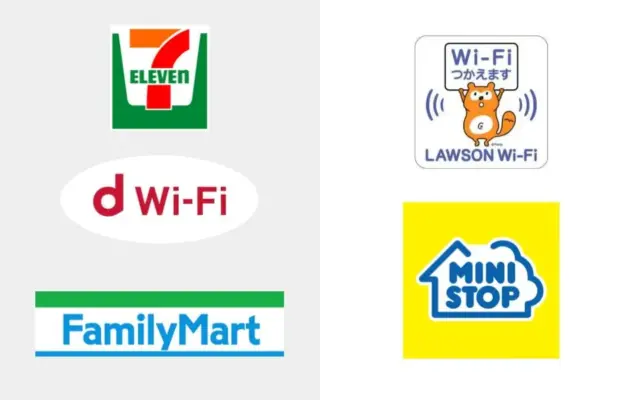
Many convenience stores like 7-Eleven and Family Mart now offer WiFi via docomo's free d WiFi service, though it requires the d Point Club app.
- Lawson and MiniStop typically provide simpler, app-free connections.
📱 Tip: Coverage may vary in rural areas.
Shopping Centers & Tourist Information

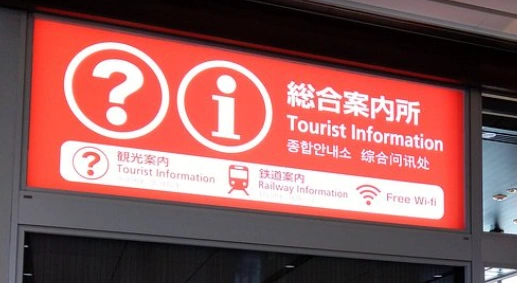
Large malls like AEON, Don Quijote, PARCO, and Ito-Yokado offer free WiFi. Tourist Information Centers near stations or attractions usually provide reliable free connections.
Hotels

Most mid-range and higher-end hotels often include free WiFi. Rural ryokans and budget inns may have slower or limited network coverage.
Tip: If your lodging has weak WiFi, a travel Pocket WiFi, SIM, or eSIM can keep you connected.
Apps & Tools for Finding Free WiFi
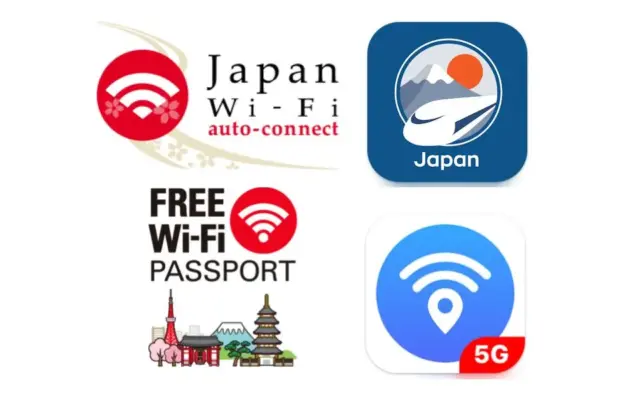
- Japan Wi-Fi Auto-Connect – Aggregates 190,000+ free WiFi spots nationwide.
- Free Wi-Fi Passport by SoftBank – Connects to 400,000 spots.
- Japan Travel App by NAVITIME – Find WiFi spots and plan travel routes.
- WiFi Map – Global app with user-updated hotspots.

⚠️ Emergency WiFi: In disasters, the public 00000JAPAN network provides free access, but it's unsecured.
🔎 Don't get stuck with the wrong carrier while traveling in Japan.
Learn about what you need to know about Japan's mobile networks here!
➡️ Japan Mobile Network Guide for Travelers and Tourists
Why Free WiFi Is Not Enough for Travelers

Free WiFi can be handy if all you need is a quick check of maps or messages. But for serious travel use — like remote work, banking, or long browsing sessions — it often falls short. Below are key reasons why free WiFi alone usually isn't enough for travelers in Japan.
Limited Coverage and Time Limits

Free WiFi spots are mostly in urban areas, transportation hubs, or big stores. In rural or less-busy areas, coverage may be scarce or absent entirely. Even where WiFi is available, networks often have time limits or session caps that require you to re-login, meaning you can be disconnected frequently. Some services may offer short time windows (like 30-60 minutes) before requiring re-authentication.
This makes free WiFi tough to rely on if you need continuous access for longer tasks, like working online or uploading travel photos.
Poor Connection Stability

Heavy user traffic — especially in busy stations or city centers — can slow down or disrupt public WiFi connections. Many free networks operate on shared infrastructure with limited bandwidth, and providers often warn that network speeds can slow down during peak use.
This means tasks like streaming, video calls, or large uploads can be frustratingly slow or drop unexpectedly.
Security Risks

Public WiFi networks can pose real security risks, even in Japan. Many free hotspots are unsecured or use weak protection, making it easier for attackers to intercept data or spy on communications.
Here are common issues with public WiFi:
- Data interception: Without encryption, hackers can intercept traffic, potentially capturing login credentials or personal information.
- Evil twin/fake WiFi: Attackers may set up networks with familiar names to trick users into connecting.
- Unsecured login pages: Entering passwords, credit card numbers, or banking info over public WiFi increases the risk of theft.
Because of this, security guides recommend avoiding sensitive tasks on public networks and using tools like VPNs if you must access personal accounts.
🚨 TIP: See our blog Is Free WiFi in Japan Safe? for more details.
Registration Required

Some free WiFi networks ask you to provide personal details, agree to terms, or register before connecting. You might need to enter things like your email address or other profile data just to get online — and this sometimes requires an initial connection you don't have yet. That can be inconvenient when you're in a rush or trying to get connected quickly.
Public WiFi is open to anyone — and hackers know that. A Pocket WiFi device gives you a private, password-protected connection that only you (and anyone you share it with) can use, which makes it safer and easier to stay connected.
Best Internet Options for Japan Travel
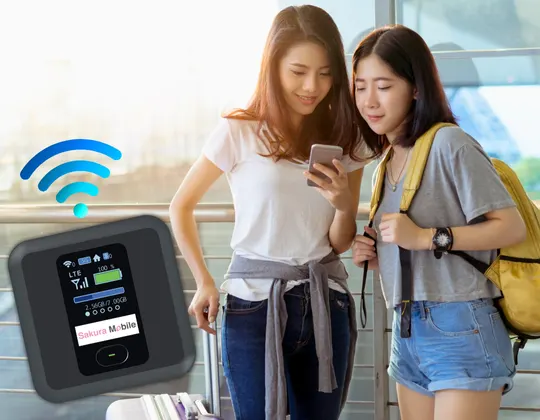
Free WiFi can help in a pinch, but it often falls short if you need fast, steady, and secure internet on your Japan trip. That's why many travelers choose a reliable connection like a Pocket WiFi device or a Travel SIM/eSIM plan — so you stay connected wherever you go in Japan, from busy cities to quiet countryside roads.
What Is Pocket WiFi?
A Pocket WiFi is a small, portable device that creates a private WiFi hotspot using Japan's cellular networks. It connects to phones, laptops, and tablets just like a home router, but you can carry it in your bag as you explore. Sakura Mobile's Pocket WiFi devices connect to the docomo network, known for Japan's widest and most consistent coverage, including rural areas.
- Portable hotspot: Bring your own WiFi with you wherever you go.
- Multiple devices: Connect up to 15 devices at once (though 5 is recommended for the best connection experience) — ideal for families or groups.
- No hotspots to find: You don't have to hunt for public WiFi or keep entering passwords.
Need more info? Read our guide on renting Pocket WiFi in Japan here.
Why Choose Sakura Mobile's Pocket WiFi?
- Strong Network: Uses docomo's trusted 4G/LTE network, reachable across most of Japan.
- Fast & Stable Speeds: Stay connected without sudden slowdowns or dropped connections.
- Secure Private WiFi: Your own password-protected connection — safer than open public networks.
- Shareable Connection: Great for groups, travelers with multiple devices, or families.
- Easy Pickup & Delivery: Get your device at the airport or delivered to your Japan address.
- Long Battery Life: Go up to 20 hours without needing to charge your device.
📅 Staying in Japan more than 90 days?
SIM / eSIM — Another Convenient Alternative
If you don't need to connect multiple devices or carry an extra gadget, a Travel SIM or eSIM can be even simpler.
- No extra device to carry — Just insert the SIM or install your eSIM profile.
- No charging required — Your phone handles everything.
- Instant setup with eSIM — Some plans activate as soon as you land.
- Wide coverage — Plans operate on the docomo and au networks, providing near-nationwide coverage.
These are perfect for solo travelers, short trips, or anyone who wants simple, direct internet on their phone.
Why Travelers Choose Sakura Mobile

Whether you want a Pocket WiFi device or a SIM/eSIM, travelers choose Sakura Mobile because we make staying connected in Japan simple, safe, and stress-free:
- English Support: Full English service from ordering to the very end of your trip.
- Easy Payments: We accept international credit cards with no hidden fees.
- Reliable Coverage: Our services are built on Japan's top networks, including docomo — meaning dependable connections even in rural areas.
- Flexible Plans: Choose based on trip length and data needs — short, long, or in between.
Whether it's a weekend trip or a long stay, Sakura Mobile helps you stay online with plans that are easy to set up and comfortable to use.
FAQ: Free WiFi in Japan
- 1. Is free WiFi available everywhere in Japan?
While free WiFi is available in many major urban areas, tourist attractions, airports, and cafes, coverage can be limited, especially in rural areas. It's essential to check availability in advance, especially if you're traveling outside the big cities. For instance, rural areas may lack public WiFi options, making Pocket WiFi or a Travel SIM/eSIM a more reliable choice.
- 2. Can I use free WiFi in Japan for work or video calls?
Free WiFi networks in Japan often experience slow speeds and connectivity issues, especially in crowded areas like stations and cafes. For tasks that use a lot of data, like video calls or heavy uploads, we recommend using a Pocket WiFi device or Travel SIM/eSIM for more reliable speeds and a secure connection.
- 3. How secure is free WiFi in Japan?
Public WiFi networks are typically unencrypted, which poses security risks like data interception or hacking. Avoid accessing sensitive information, such as online banking or credit card details, on public networks. To stay secure, consider using a VPN or a Pocket WiFi connection, both of which are private and password-protected.
- 4. Do I need to register for free WiFi in Japan?
Many free WiFi networks in Japan require registration, often involving email sign-up or agreeing to terms of use. This can be time-consuming and inconvenient, especially when you're on the go. If you're in a hurry or don't want to deal with repeated logins, renting a Pocket WiFi or using a SIM/eSIM plan might be a simpler solution.
- 5. How can I find free WiFi in Japan?
Look for locations with the official free WiFi symbol designated by the Japan Tourism Agency. Airports, train stations, major cafes (e.g., Starbucks, Tully's), and tourist information centers usually provide free WiFi. Apps like Japan WiFi Auto-Connect and Free WiFi Passport by SoftBank can help you locate nearby hotspots.
- 6. Which is better for tourists: free WiFi or Pocket WiFi?
While free WiFi can save data, it's not always reliable or secure. If you're traveling around Japan or need consistent, private internet access, Pocket WiFi is the better option. It offers faster speeds, stable connections, and secure access, all without the hassle of searching for hotspots. Plus, it's easy to share with friends or family.
FAQ
Tired of slow, spotty, or insecure free WiFi? Sakura Mobile keeps you online wherever you go:
- Pocket WiFi — Fast, secure, shareable connection for multiple devices.
- Travel SIM/eSIM — Simple, instant setup on your phone.
- Reliable Coverage — Runs on docomo's trusted network, even in rural areas.
- English Support & Easy Payment — Order online with a foreign credit card, no hidden fees.
Your internet, your way — stress-free and ready for any trip.