Planning a trip to Japan in 2026? Having a reliable internet connection is one of the most important parts of your trip.
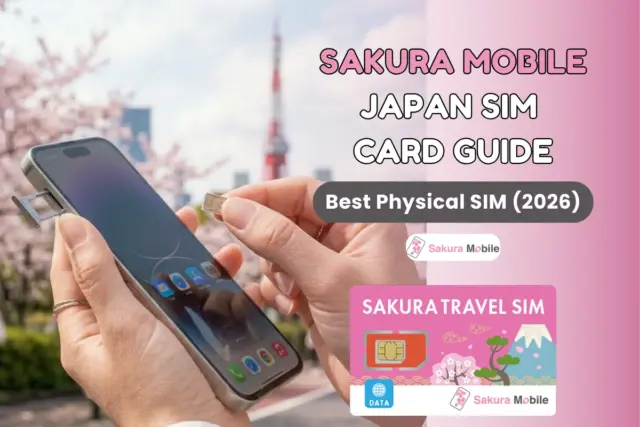
Sakura Mobile is the most reliable physical SIM card for Japan travel. We offer a "fail-safe" connection for visitors. Unlike global roaming brands that route your data through foreign servers—which can make your internet slow or laggy—Sakura Mobile uses 100% local routing through Japan's top networks (NTT docomo and au).
With easy airport pickup and real English-speaking support, you get a "plug-and-play" experience with no roaming.
The Sakura Mobile SIM Card Snapshot
If you prioritize fail-safe connectivity and ease of use, a physical SIM card remains the gold standard.
| Feature | Sakura Mobile Travel SIM Details |
|---|---|
| Network | 100% Local (docomo / au) – No roaming |
| Data Options | Unlimited 5G (No FUP) or 3 GB/day |
| Pickup | Airports (Narita, Haneda, Kansai, Chubu Centrair, New Chitose, and Fukuoka) + Hotel Delivery |
| Support | English counters + in-person help in Shinjuku |
- The Sakura Mobile SIM Card Snapshot
- Why Choose a Physical SIM Card for Japan?
- Choosing Your Plan: 5G Unlimited vs. 4G Daily
- The "Local Routing" Advantage: Why Sakura Mobile is Faster
- Installation Guide: Steps to Instant Connection
- Compatibility & Insurance: The No-Risk Promise
- Reviews & User Trust: 3,000+ Travelers
- Tested Coverage Across Japan
- Frequently Asked Questions
- Secure Your Japan Connection Today
Why Choose a Physical SIM Card for Japan?
When choosing between a SIM and an eSIM, physical SIM cards remain the safest bet. They often take away the technical headaches that often happen with digital-only options.
- Works with almost any phone: Compatible with older iPhones, budget Androids, and most carrier-unlocked devices.
- No tech stress: You avoid "activation anxiety" caused by QR codes, profile installation failures, or settings that don't trigger.
- Easy to swap: If you are traveling in a group or carrying multiple devices (like a tablet or hotspot), you can physically move the SIM card between them easily.
Choosing Your Plan: 5G Unlimited vs. 4G Daily
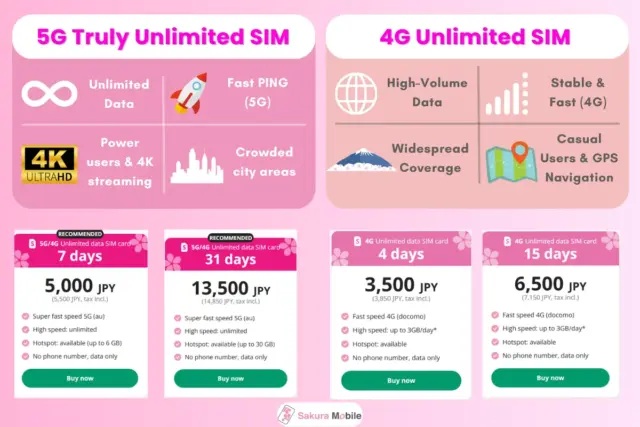
Finding the best plan depends on how you use your data. Whether you are posting 4K videos or just using Google Maps, we have a plan for you.
5G Truly Unlimited (au Network)
Best for digital nomads, heavy users, and content creators who cannot afford a "throttled" connection.
- The Experience: Powered by the au network, this offers Japan's most reliable, high-speed data.
- Why It's Premium: It is truly unlimited with no surprise overage charges.
- Hotspot Ready: Supports iOS Personal Hotspot, Android Tethering, and PdaNet.
- The Verdict: If you are streaming, working remotely, or uploading lots of photos, this is your best option.
4G Smart (docomo Network)
Best for general sightseeing and those exploring the Japanese countryside.
- The Experience: Powered by the docomo network, which has the widest coverage in Japan.
- The Logic: You get 3 GB/day of high-speed data. If you hit your limit, you stay connected at a steady speed, and your full capacity resets at midnight.
- Verdict: Perfect for travelers who prioritize network stability over raw speed.

🌸 Group Discount: Save 10% OFF your total when you order 2 or more travel products!
Perfect for families, couples, and friends traveling together.
The "Local Routing" Advantage: Why Sakura Mobile is Faster
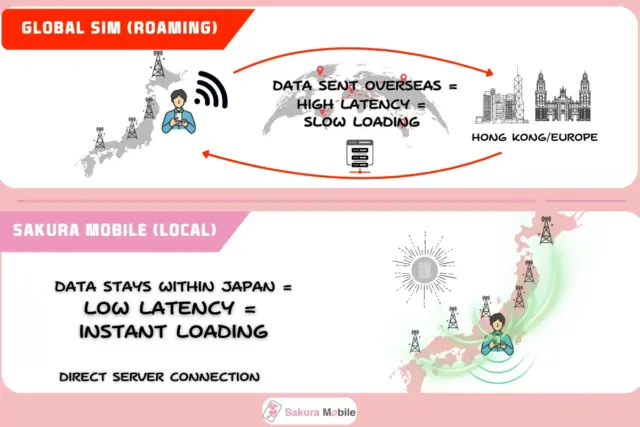
Slow internet with a "full signal" is usually caused by the "Roaming Trap."
Most global travel SIMs aren't native to Japan. They route your data through servers in places like Hong Kong or Europe before it hits the internet. This adds "lag" (latency). It might be why your GPS stutters at a busy intersection or your video calls buffer.
Sakura Mobile uses 100% Local Routing. Your data stays inside Japan's domestic networks. This removes the detour and provides the same "native" speed that locals might expect.
Roaming vs. Local Routing Comparison
| Feature | Global Travel SIM | Sakura Mobile SIM |
|---|---|---|
| Data Routing | Indirecct (via HK/Europe/Singapore) | Direct (Domestic Japan Network) |
| Latency (Ping) | High (creates "lag") | Low (instant response) |
| Network Access | Through roaming partners | Direct Carrier Access (docomo/au) |
| Real-World Feel | Stutters & buffering | Seamless/Native speed |
Installation Guide: Steps to Instant Connection
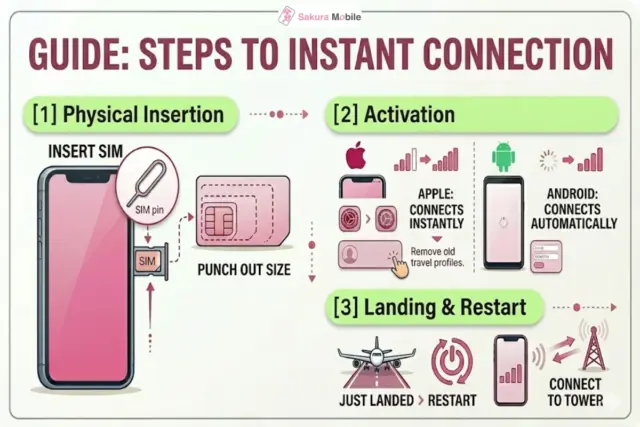
Getting connected shouldn't be hard. Our SIMs are "plug-and-play."
Step 1: Physical Insertion
Use the included SIM pin to open your phone's SIM tray. Our 3-in-1 "Trio SIM" fits every device—just punch out the size you need.
- PIN Code: If asked for a PIN, the default is "1234" (or sometimes "0000").
Step 2: Automatic or Manual Activation
- Apple: The network usually connects instantly. If it doesn't check Settings > General > VPN & Device Management and remove any old travel SIM profiles.
- Android: Most devices connect automatically. If you aren't online in a minute, check your APN settings in your Mobile Network menu.
Step 3: Landing & Restart
When you land, restart your phone. This forces your phone to "handshake" with local towers for the strongest signal.
⚠️Maintenance Note: Our system undergoes maintenance every Tuesday night (10 PM) to Wednesday morning (10 AM JST). Setup may be delyaed during this window.
💡 Pro Tip: Protect Your Home SIM
Store your home SIM card in a safe place, like your passport holder, so you can easily swap it back when you get home!
Need Help?
If you require specific manual settings for your device model, our support team has created simple, step-by-step guides for every setup scenario:
View our full APN Troubleshooting Guide here.
Compatibility & Insurance: The No-Risk Promise
One of the biggest concerns for travelers is: "What if my phone doesn't work?"
We get it. Compatibility can be confusing. Whether your phone is carrier-locked, or you're just worried about arriving in a foreign country without a connection, the stress is real.
The Solution:
Sakura Mobile solves this with Compatibility Insurance. We have created a "fail-safe" safety net. If your device is for any reason incompatible, we offer two ways to get you online:
- The Pocket WiFi Swap: We can immediately swap your plan into a physical Pocket WiFi device. This guarantees you have internet access regardless of your phone's software or status.
- Full Refund: If a swap isn't what you want, you are eligible for a full refund.
"Compatibility Insurance" makes Sakura Mobile one of the safest options for Japan travel. You aren't just buying a SIM—you're buying the guarantee of a working connection.
Reviews & User Trust: 3,000+ Travelers
Don't just take our word for it—join thousands of travelers who rely on Sakura Mobile.
- Trustpilot: ⭐4.7/5
- Google Reviews: ⭐ 4.6/5
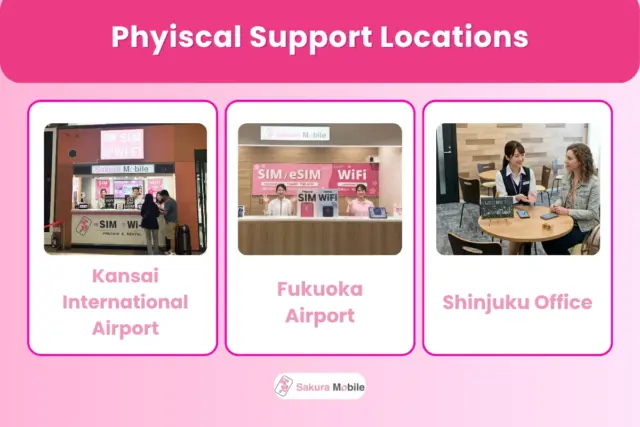
Unlike digital-only providers that rely on faceless chatbots, Sakura Mobile offers in-person support. We have a physical presence in Japan, so you aren't left to troubleshoot alone.
- Immediate Setup Help: Visit our counters at Kansai and Fukuoka airports for help with your SIM.
- Tokyo-Based Expertise: Our support office in Shinjuku is ready to assist if you need help while in the city.
When you buy a Sakura Mobile SIM, you get more than just data—you get a local team dedicated to ensuring your connection works the moment you land.
What our clients have to say
Tested Coverage Across Japan
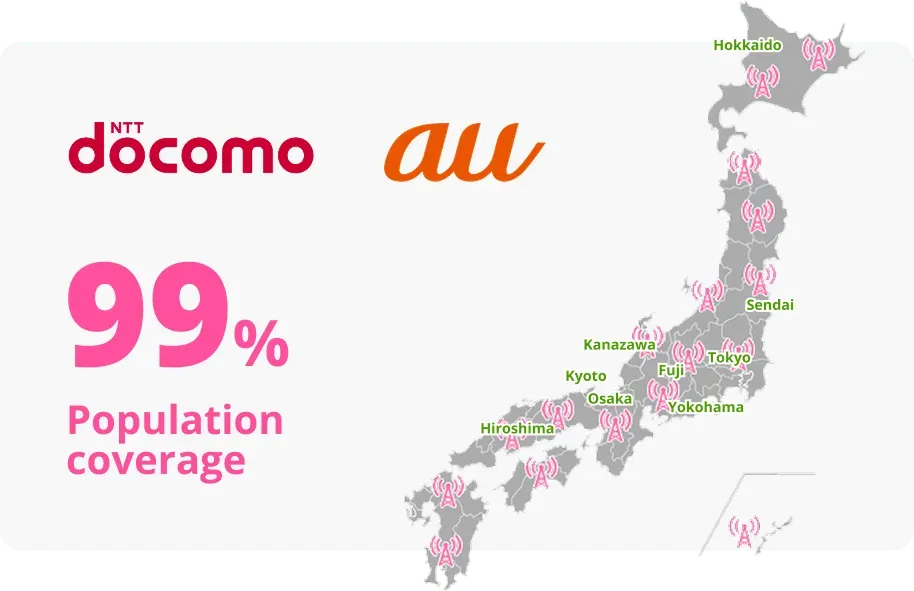
Don't let "dead zones" ruin your trip. We use Japan's best network infrastructure (au and NTT docomo) to keep you online.
Real World Performance
We have tested our SIM cards in the scenarios that matter to most travelers:
- Urban High-Density: Experience 5G signal strength, even in crowded areas like Shibuya Crossing or the deep underground levels of Shinjuku Station.
- Transit Connectivity: Enjoy stable internet while commuting on trains or local bus lines, perfect for real-time map updates.
- Rural Exploration: Maintain a consistent connection in remote areas, including Hokkaido and the Japanese Alps, where budget providers often fail.
Coverage at a Glance:
| Location Type | Coverage Experience | Best For |
|---|---|---|
| City Centers (Tokyo/Osaka) | Excellent (5G) | Navigation & Social Media |
| Public Transit (Train/Bus) | High (4G/5G) | GPS & Scheduling |
| Rural/Mountain Regions | Reliable (4G) | Maps & Messaging |
The Bottom Line: Your connection is only as good as your coverage. With Sakura Mobile, you get the network strength required to explore Japan with total confidence.
Frequently Asked Questions
- Q: Can I keep my WhatsApp and iMessage number?
A: Yes. Your WhatsApp and iMessage accounts will continue to use your original phone number.
- Important iPhone Tip: When you insert your Sakura Mobile Travel SIM, your iPhone may ask if you want to "change to" the new SIM's number. Always tap "NO." By keeping your original number selected, you can continue using iMessage and FaceTime seamlessly.
- Settings: Please turn off "Send as SMS" in your Message settings to avoid roaming charges from your home carrier.
- Q: Can I pick up my SIM at the airport?
A: Yes. We make pick-up effortless. You can collect your order at dedicated counters at Narita, Haneda, Kansai, Chubu Centrair, New Chitose, and Fukuoka airports.
- Alternative Options: We also can ship directly to your hotel, your residence, or you can pick it up at our Shinjuku Office.
- Q: How long do the data plans last?
A: Our plans are flexible and designed to match your travel itinerary, ranging from 4 days up to 93 days. You select the duration that best fits your trip length at checkout.
- Q: Do I need to configure APN settings?
A: Usually, no. Our SIMs are "plug-and-play" and typically activate automatically once inserted.
- If manual settings are needed: If your device doesn't connect instantly, a quick APN setup will fix it.
- PIN Codes: If prompted for a PIN, use "1234" for our 5G plans or "0000" for our 4G plans.
- Maintenance Note: Our systems undergo routine maintenance every Tuesday from 10:00 PM (JST) to Wednesday at 10:00 AM (JST). If you are setting up your SIM for the first time during this window, please wait until after the maintenance period to connect.
FAQ
Still have questions?
If you need help with your device setup, our English-speaking support team is ready to assist you at our Shinjuku headquarters or via our online support portal.
Secure Your Japan Connection Today
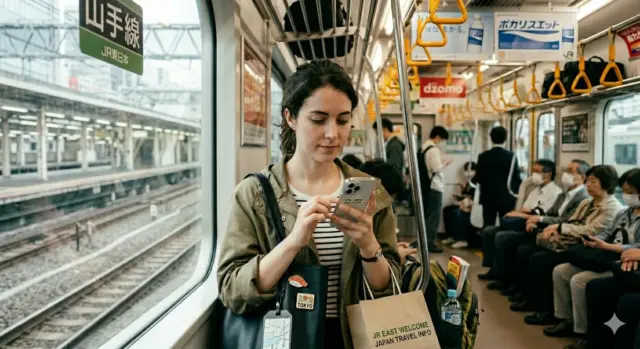
If you want low risk—the certainty that you will be online from the moment you land, without the headache of digital setups or carrying extra hardware—choose a physical SIM.
It is the traveler's safety net. By selecting a physical SIM from Sakura Mobile, you aren't just buying data. You're buying the guarantee of a functioning connection, backed by in-person support across Japan.
Don't wait until you land at the airport to figure out your internet.